In the realm of geochemistry, compositional data analysis (CoDa) plays a crucial role in understanding the relationships between different elements in mineral samples. This blog post will explore the effective use of CoDaPack, a specialized software designed for analyzing compositional data. We will cover essential steps including data preparation, import, transformation, grouping, exporting, and principal component analysis, providing a detailed overview of how to utilize CoDaPack for insightful geochemical analysis.
Table of Contents
- 🌟 Introduction
- 📊 Data Preparation
- 🔄 Import Data
- 🔧 Data Transformation
- 🔍 Grouping
- 📤 Exporting
- 📈 Principal Component Analysis (PCA)
- ❓ FAQ Section
- 🔗 Conclusion
🌟 Introduction
Compositional data analysis (CoDa) is vital for geochemists, as it allows for the interpretation of data that represent proportions. In this guide, we will delve into the functionalities of CoDaPack, a software that streamlines the analysis of such data. The focus will be on practical steps to prepare, import, and analyze data effectively, ensuring you can derive meaningful insights from your geochemical data sets.
📊 Data Preparation
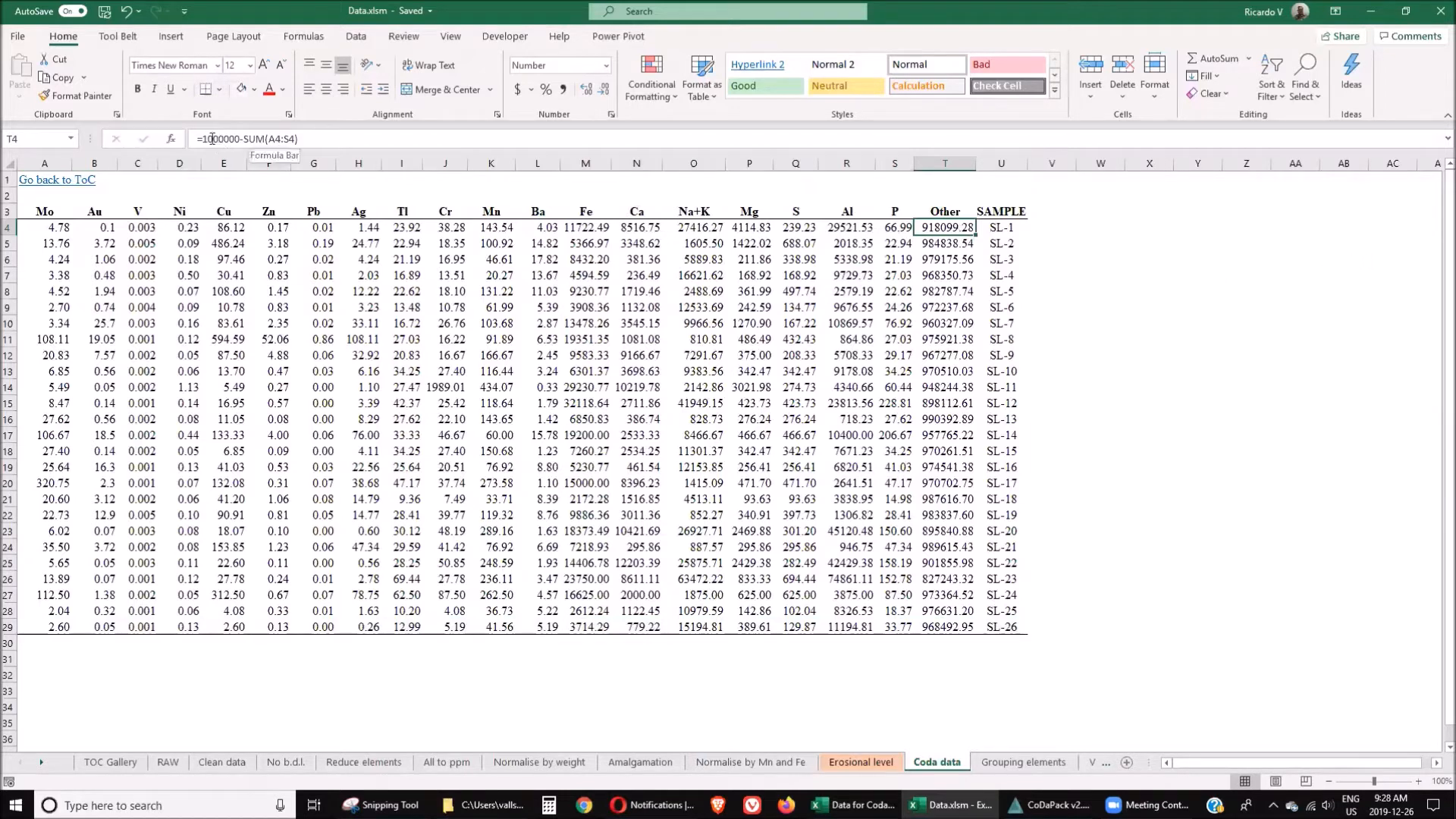
Before diving into CoDaPack, proper data preparation is essential. The first step involves organizing the dataset to ensure that CoDaPack can process it effectively. Here are the steps to prepare your data:
- Add a new column: This column, referred to as "Other," represents the total of trace elements subtracted from 100%. This is crucial for maintaining the integrity of percentage-based data.
- Organize elements: Group the elements according to their genetic origins. This organization aids in interpreting the data accurately.
- Save the dataset: Export your prepared data as an XLS or CSV file, as CoDaPack may not always open Excel files directly.
🔄 Import Data
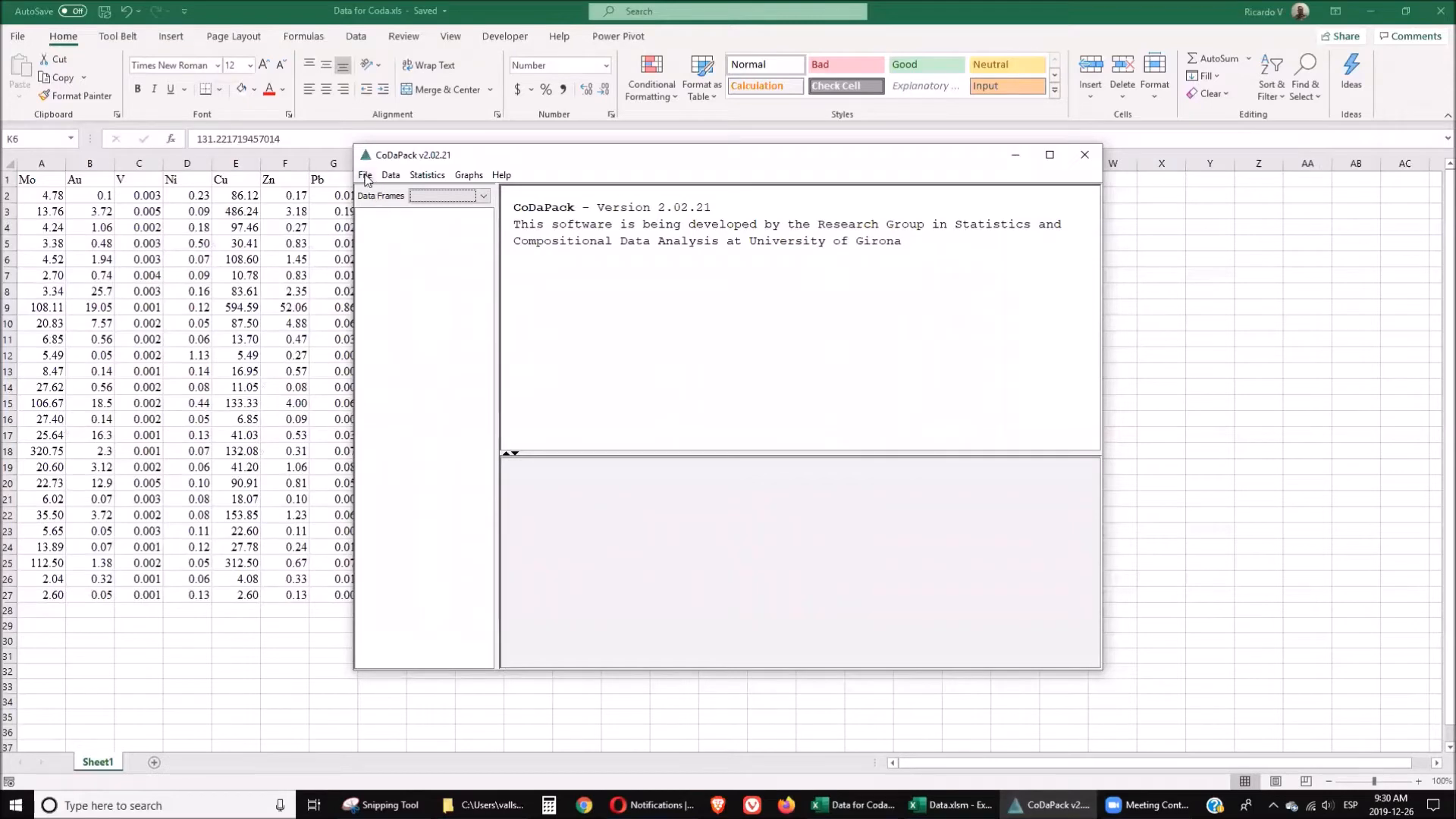
Once your data is prepared, the next step is to import it into CoDaPack. Follow these steps for a successful import:
- Open CoDaPack and navigate to the import function.
- Select the file type (CSV, TXT, or XLS) and locate your prepared dataset.
- Ensure that the software reads the header correctly, starting from line one.
- Confirm that there are no missing values that might affect the analysis.
🔧 Data Transformation
Data transformation is a critical step in compositional data analysis. CoDaPack provides several transformation options, each serving different analytical purposes:
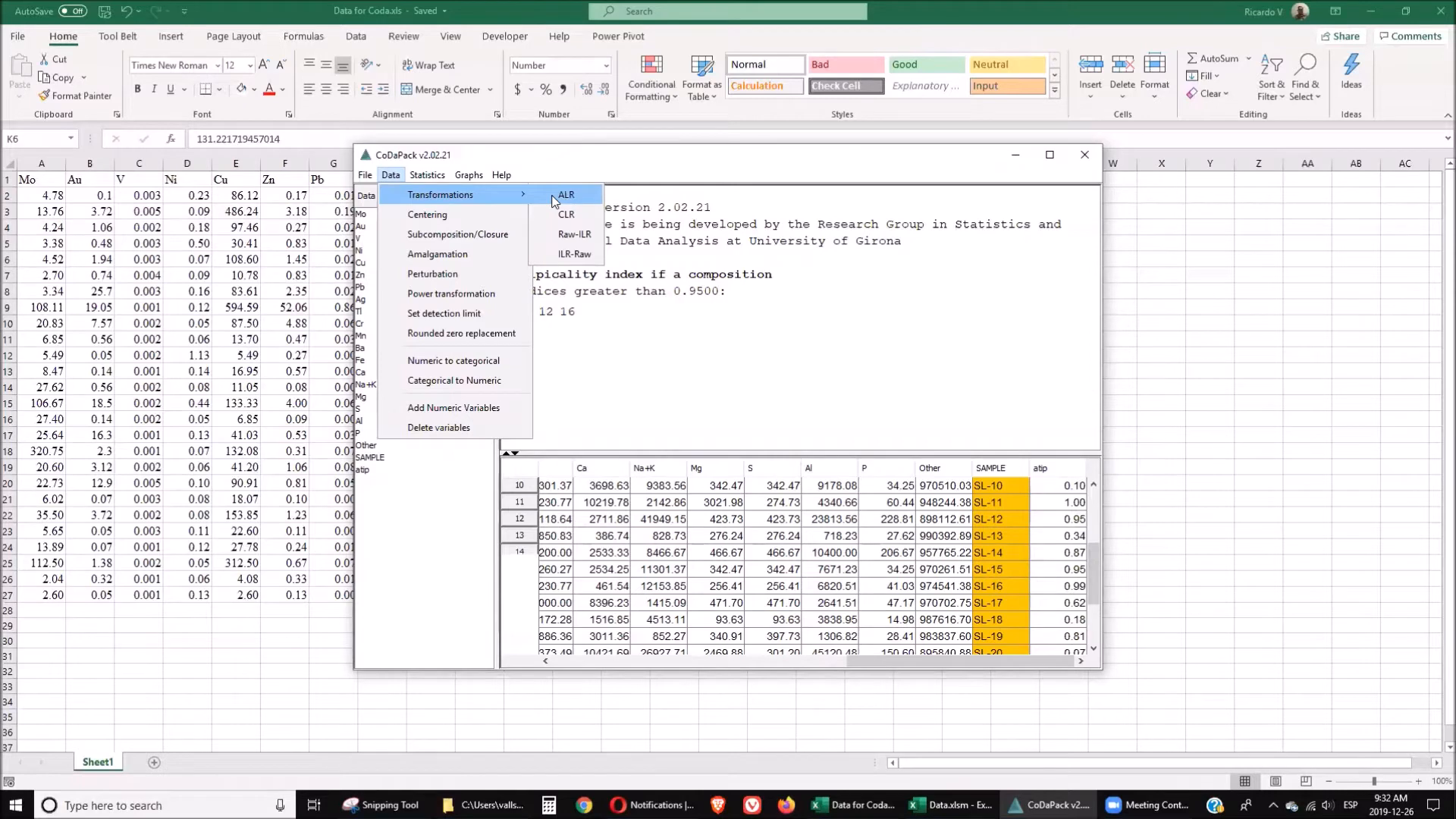
- Additive Log-Ratio (ALR): This transformation allows for the analysis of data without the constraints of compositional data.
- Centered Log-Ratio (CLR): This method normalizes the data, making it more suitable for statistical analysis.
- Isometric Log-Ratio (ILR): The most complex method, ILR is effective for analyzing relationships between multiple components.
To perform these transformations, simply select the relevant data columns and choose the desired transformation method within CoDaPack.
🔍 Grouping
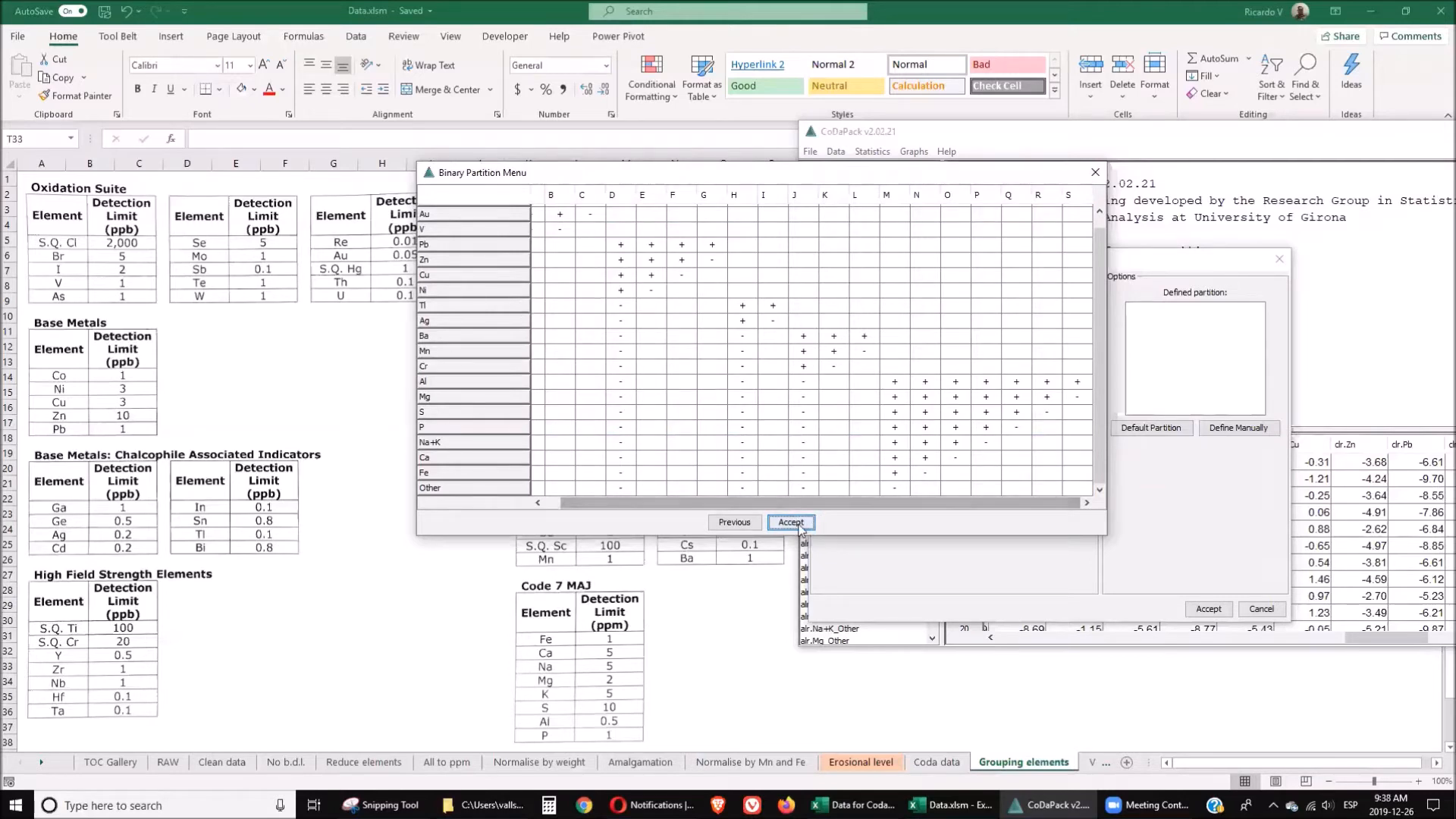
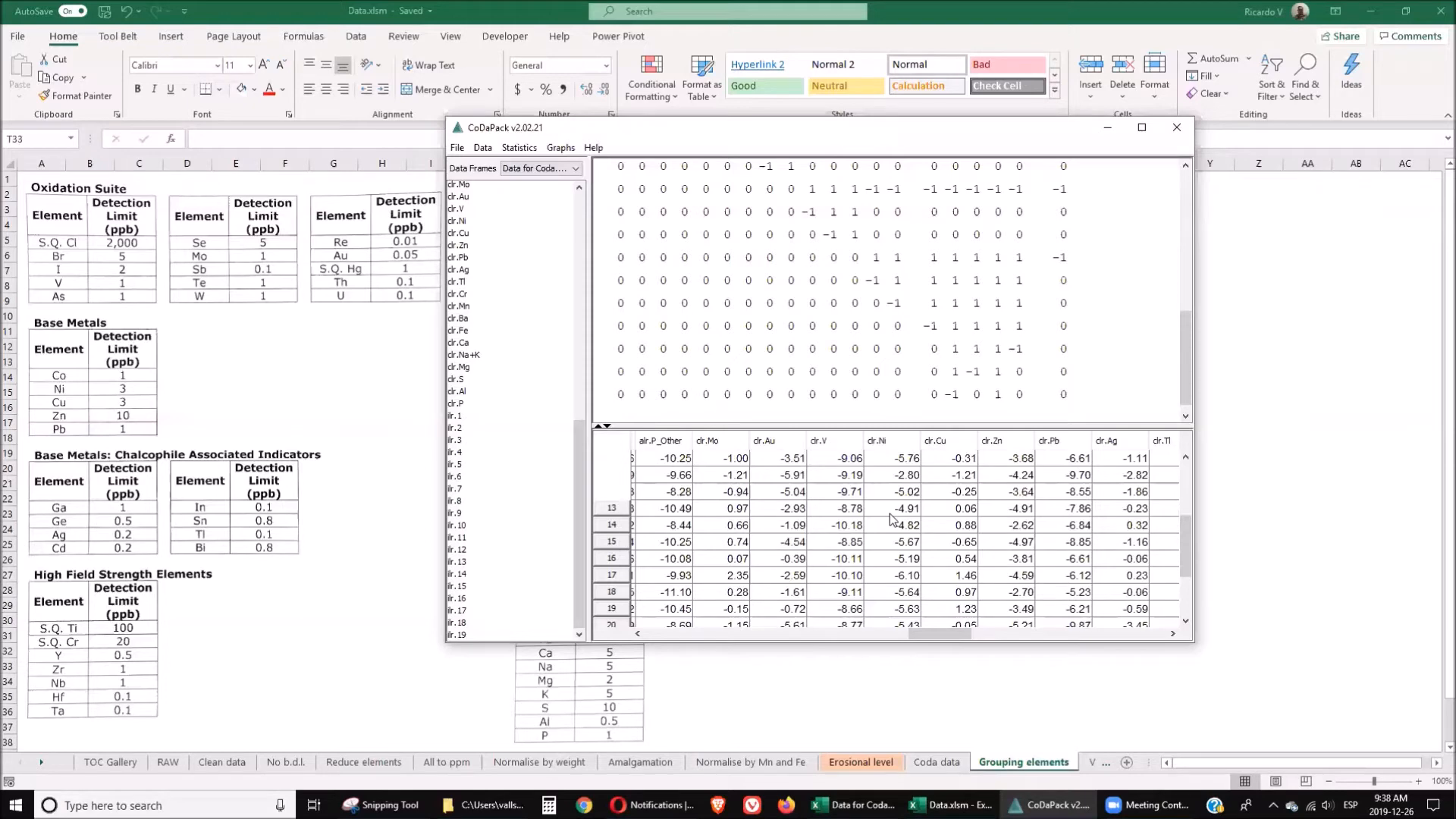
Grouping elements based on their characteristics enhances the interpretability of the results. CoDaPack allows you to create matrices that define these groups. Here’s how to group your elements:
- Identify the elements that belong to each group based on their genetic origins.
- Create a matrix that reflects these groupings.
- Input the matrix into CoDaPack to facilitate further analysis.
📤 Exporting
After completing your analysis in CoDaPack, exporting the results for further examination in Excel is simple. Follow these steps:
- Navigate to the export function within CoDaPack.
- Select the desired output format (preferably XLS or CSV).
- Save the exported file for use in your usual statistical software.
📈 Principal Component Analysis (PCA)
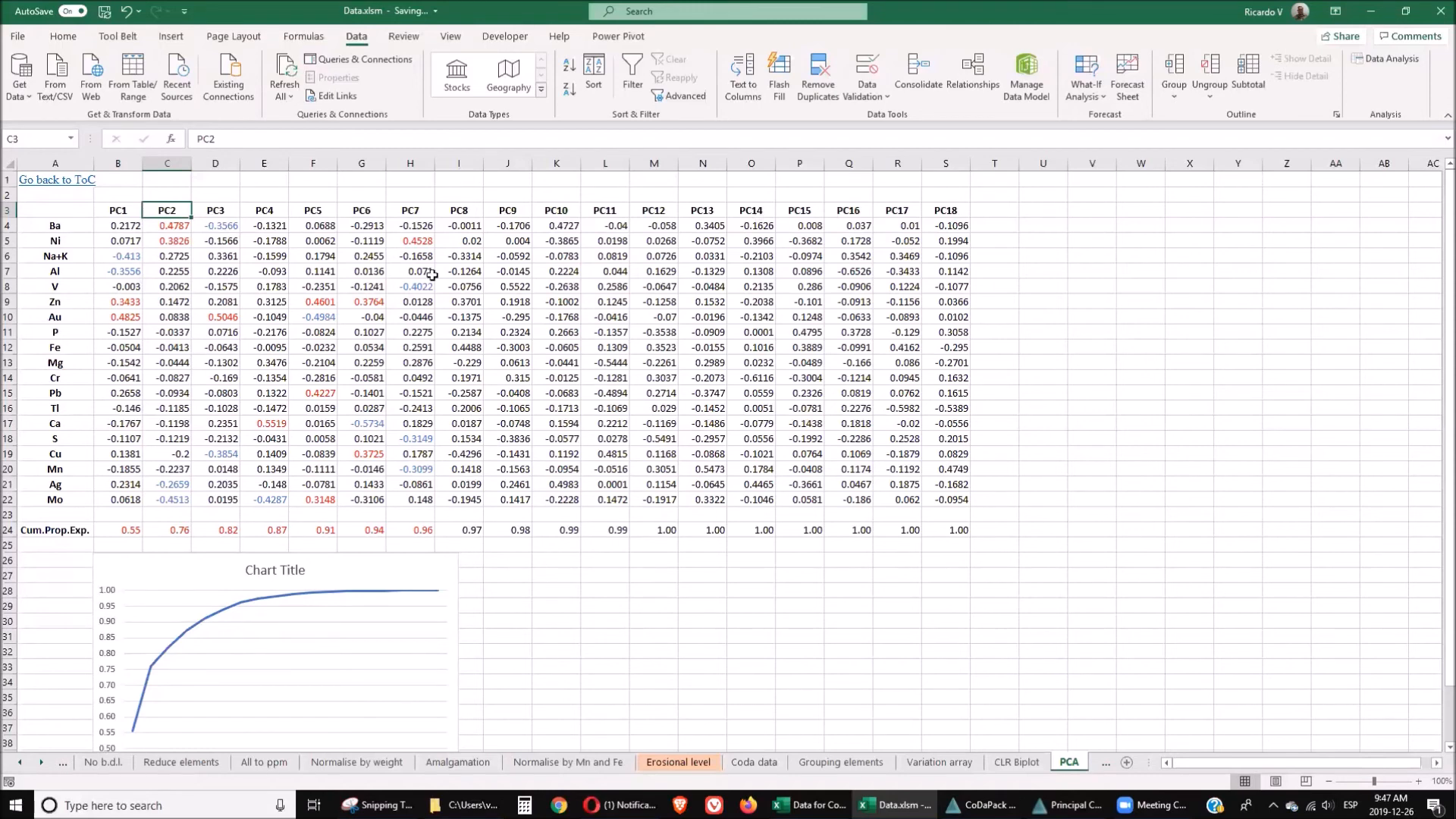
Principal Component Analysis is a powerful tool for visualizing and interpreting complex datasets. CoDaPack facilitates PCA to uncover underlying patterns in your data. Here’s how to conduct PCA:
- Select the elements you want to include in the PCA.
- Run the PCA function within CoDaPack to generate results.
- Examine the output to identify key components that explain the variance in your dataset.
❓ FAQ Section
What is compositional data analysis?
Compositional data analysis (CoDa) refers to statistical techniques used to analyze data that convey proportions of different components, ensuring the relationships between them are properly interpreted.
Why is data preparation important in CoDa?
Proper data preparation ensures that the dataset is formatted correctly for analysis, which is crucial for obtaining accurate results in CoDaPack.
What types of transformations can be performed in CoDaPack?
CoDaPack allows for several transformations, including Additive Log-Ratio (ALR), Centered Log-Ratio (CLR), and Isometric Log-Ratio (ILR).
How can I access the datasets mentioned in this guide?
You can download datasets from Mendeley Data, specifically for the Golden Droplets series. Access it here.
Is CoDaPack suitable for beginners?
Yes, CoDaPack is designed to be user-friendly, making it accessible for both beginners and experienced geochemists.
🔗 Conclusion
In conclusion, CoDaPack is an invaluable tool for conducting compositional data analysis in geochemistry. By following the outlined steps—data preparation, import, transformation, grouping, exporting, and principal component analysis—you can unlock the full potential of your geochemical datasets. Whether you are a seasoned professional or a newcomer to the field, mastering CoDaPack will enhance your analytical capabilities and deepen your understanding of compositional data.
For more information about the author and their work, you can visit their ORCID profile.
P. Geo. Ricardo A Valls, M. Sc.
Valls Geoconsultant
ORCID ID- https://orcid.org/0000-0002-5421-0914
Scopus Author ID: 7003369619/35335510700
ResearcherID: S-6604-2018
If you like this content, please "buy me a coffee" https://www.buymeacoffee.com/goldendroplets
#planetearth #geology #mining #exploration #education #earthscience #geologia #earthscienceteacher #cienciasnaturales #cienciasgeologicas #geochemistry #geochemistrybooks #geoquimica #trainingcourses #teachingonline #vallsgeoconsultant #vallsvg #technotectonics #goldendroplets #geovoices
Made with VideoToBlog


No comments:
Post a Comment