Monday, September 30, 2024
https://youtu.be/TW-fY_Sazic
https://youtu.be/p9u6r3kP6mY
https://youtu.be/zpwD1V-jg6Q
https://youtu.be/7zJK4n6PaYI
https://youtu.be/b0NkwIxpdrg
Sunday, September 29, 2024
https://youtu.be/b0NkwIxpdrg
https://youtu.be/IRx74l6o9v8
Friday, September 27, 2024
https://youtu.be/ZZJdH60WqaQ
Thursday, September 26, 2024
https://youtu.be/vmis_uqvHuY
Wednesday, September 25, 2024
https://youtu.be/uao1LYpvlrI
https://youtu.be/cs2V_cno76A
https://youtu.be/vXrzTyv5VWI
https://youtu.be/cs2V_cno76A
https://youtu.be/Lw8BGhm28jw
Tuesday, September 24, 2024
https://youtu.be/f-gx6en8dUc
https://youtu.be/ImF6POKzCqI
https://youtu.be/LGrwyTirrZ8
https://youtu.be/LGrwyTirrZ8
https://youtu.be/-pkHjuHDRLw
https://youtu.be/05ON4Pubr_k
https://youtu.be/BLe4rVQx5_U
Monday, September 23, 2024
https://youtu.be/1psT6RVvQtM
https://youtu.be/--0RUG26vhI
https://youtu.be/Z_ufD47zRA0
https://youtu.be/mdEWAmp6-sY
https://youtu.be/rp5KhxxEA58
https://youtu.be/ZzSb8EthYIY
https://youtu.be/rp5KhxxEA58
https://youtu.be/EA064Cw0cgc
Sunday, September 22, 2024
https://youtu.be/cM-BjamXwKM
https://youtu.be/7z-5YCL6b4Q
https://youtu.be/h9jMtcA6Yuk
https://youtu.be/ZLVIlezAcb8
https://youtu.be/ZLVIlezAcb8
https://youtu.be/XkHEmpTCPdY
https://youtu.be/gaOS5VztMEg
Saturday, September 21, 2024
https://youtu.be/p5vjeuw89DY
https://youtu.be/F06-WmTPr98
https://youtu.be/9PgtWY_-OBE
Thursday, September 19, 2024
https://youtu.be/7lFC6mRA4aQ
https://youtu.be/vlt4suEX65I
https://youtu.be/tbO-sNpwvJQ
https://youtu.be/eMAxCV8es2M
Wednesday, September 18, 2024
https://youtu.be/QP7Uoh1LQHk
https://youtu.be/OLWBdVxaeWw
https://youtu.be/mQ9-fIOEHK8
https://youtu.be/OuKpj3LN510
https://youtu.be/6heuWwRavkg
Tuesday, September 17, 2024
https://youtu.be/BctZ1pOaip8
https://youtu.be/S7wgQ_CUREA
https://youtu.be/UZRJuT4lTlM
https://youtu.be/7ETyxMD2fXU
https://youtu.be/K-MeufYiuqM
https://youtu.be/K-MeufYiuqM
https://youtu.be/DndiQ3pYqEQ
Saturday, September 14, 2024
https://youtu.be/dwyo9E4AI9M
https://youtu.be/v6YXSGbc_RI
https://youtu.be/qZMk1ZXbbM8
https://youtu.be/87R4K-8Qsjc
https://youtu.be/gOQgoGnPIXA
https://youtu.be/s1o1JrwaiVs
Friday, September 13, 2024
https://youtu.be/3IrmfiVebQk
https://youtu.be/mE7AyxAjw1M
https://youtu.be/kAExLyzKnnU
https://youtu.be/6Cx3sSRi0fQ
https://youtu.be/SLBoaA4C9vQ
Thursday, September 12, 2024
https://youtu.be/5ghUmEIDxGM
https://youtu.be/J5XkJR-zH4M
https://youtu.be/HNHJDXVuq3s
Wednesday, September 11, 2024
https://youtu.be/QdYO1i__x5c
https://youtu.be/g3bYdox-CUM
https://youtu.be/sbQaF8ok4b0
Tuesday, September 10, 2024
https://youtu.be/D2mjYcOzqiA
https://youtu.be/Atotn6HCjW0
https://youtu.be/885bfkE-ihg
Recast is a Great Productivity Tool: Transforming Your Reading Experience
In today's fast-paced world, busy professionals often struggle to keep up with the overwhelming amount of information available online. With countless articles, blogs, and research papers to read, finding time to absorb all that content can feel impossible. Enter Recast, a revolutionary productivity tool designed to help you manage your reading workload efficiently. Recast is a great productivity tool that turns lengthy articles into quick, digestible podcast summaries, making it easier to stay informed while you multitask.
📖 What is Recast?
Recast is an innovative tool that simplifies the way we consume content. By converting long-form articles into concise audio summaries, Recast allows users to listen to essential information while commuting, exercising, or even doing household chores. This versatility makes it an ideal solution for anyone trying to maximize their time without sacrificing the quality of information they receive.

🛠️ How Does Recast Work?
The process of using Recast is incredibly straightforward. To get started, simply follow these steps:
- Grab the link to any article you want to read.
- Visit the Recast website.
- Paste the link into their intuitive interface.
- Within seconds, Recast analyzes the content and generates a concise audio summary.
- Listen to the summary directly on the platform or download it as an MP3 file for offline access.
This user-friendly approach ensures that even the busiest individuals can stay informed without spending hours reading. It’s like having a personal assistant who reads to you, making it easier to prioritize your reading list.
🎯 Key Features of Recast
Recast boasts several standout features that enhance its usability and effectiveness:
- Advanced AI Technology: Recast employs cutting-edge AI to ensure that summaries capture the core details of articles without unnecessary fluff. This means you get the essential information quickly and accurately.
- Flexibility: Users can decide if a full article is worth their time based on the audio summary, allowing for better prioritization of reading lists.
- Continuous Improvement: The platform learns from your interactions, adapting to your preferences and improving the quality of content it provides over time.
- Multi-Device Compatibility: Recast can be accessed from various devices, making it easy to listen to summaries on the go.

💡 Benefits of Using Recast
Recast is not just a tool; it’s a game changer for busy professionals. Here are some of the benefits:
- Time-Saving: Instead of spending hours reading, users can listen to summaries in minutes, freeing up time for other important tasks.
- Improved Information Retention: Listening to summaries in a conversational style enhances understanding and retention of information.
- Convenience: Recast fits seamlessly into your daily routine, allowing you to stay informed while multitasking.
- Accessibility: It is perfect for entrepreneurs, managers, or anyone who wants to stay updated without dedicating excessive time to reading.
🔍 User Experience: How Recast Adapts to You
One of the most impressive aspects of Recast is its ability to adapt to user preferences. The more you use it, the better it becomes at tailoring content to suit your needs. This personalized approach enhances the overall experience and ensures that you receive the most relevant information possible.

❓ FAQs about Recast
What types of articles can I use with Recast?
You can use Recast with any online article, including news articles, blogs, and research papers. The platform is designed to analyze and summarize a wide range of content.
Is there a cost associated with using Recast?
Recast offers a free version with basic features, but for more advanced functionalities and an ad-free experience, a subscription plan may be required.
Can I download the audio summaries?
Yes, users have the option to download audio summaries as MP3 files for offline listening, making it convenient to access content on the go.
How accurate are the summaries generated by Recast?
Recast employs advanced AI technology to provide accurate and engaging summaries, ensuring that you don’t miss out on essential details from the original articles.
📈 Final Thoughts: Why You Should Try Recast
In conclusion, Recast is a great productivity tool that transforms the way busy professionals consume content. Its ability to convert lengthy articles into concise audio summaries allows users to stay informed while managing their hectic schedules. Whether you are an entrepreneur, manager, or simply someone who loves to stay updated, Recast is designed to fit seamlessly into your lifestyle.
Don’t let overwhelming reading lists stress you out. Embrace the smarter way to handle your reading with Recast and experience the time-saving benefits it offers. Visit ORCID to learn more about how you can optimize your information consumption today!

☕ Support the Creator
If you enjoy this content and want to support the creator, consider buying a coffee at Golden Droplets. Your support helps bridge the gap between industry and academia!
P. Geo. Ricardo A Valls, M. Sc.
Valls Geoconsultant
ORCID ID- https://orcid.org/0000-0002-5421-0914
Scopus Author ID: 7003369619/35335510700
ResearcherID: S-6604-2018
If you like this content, please "buy me a coffee" https://www.buymeacoffee.com/goldendroplets
#planetearth #geology #mining #exploration #education #earthscience #geologia #earthscienceteacher #cienciasnaturales #cienciasgeologicas #geochemistry #geochemistrybooks #geoquimica #trainingcourses #teachingonline #vallsgeoconsultant #vallsvg #technotectonics #goldendroplets #geovoices
https://youtu.be/k3lTbs6BpFg
Sunday, September 8, 2024
https://youtu.be/LQCinCZ-TK8
https://youtu.be/2vj89ILYABs
https://youtu.be/WuakeK8rhp4
https://youtu.be/5y6OPPpjpgE
https://youtu.be/BTAGl5eTh_s
Mastering Data Processing with Rapidminer and Talend
👋 Greetings
Hello and welcome to this comprehensive guide on data processing using Rapidminer and Talend. This blog aims to equip you with the knowledge to effectively utilize these powerful tools for your data science projects. Whether you're a beginner or an experienced user, you will find valuable insights and step-by-step instructions to enhance your data processing skills.
🚀 Intro to Rapidminer
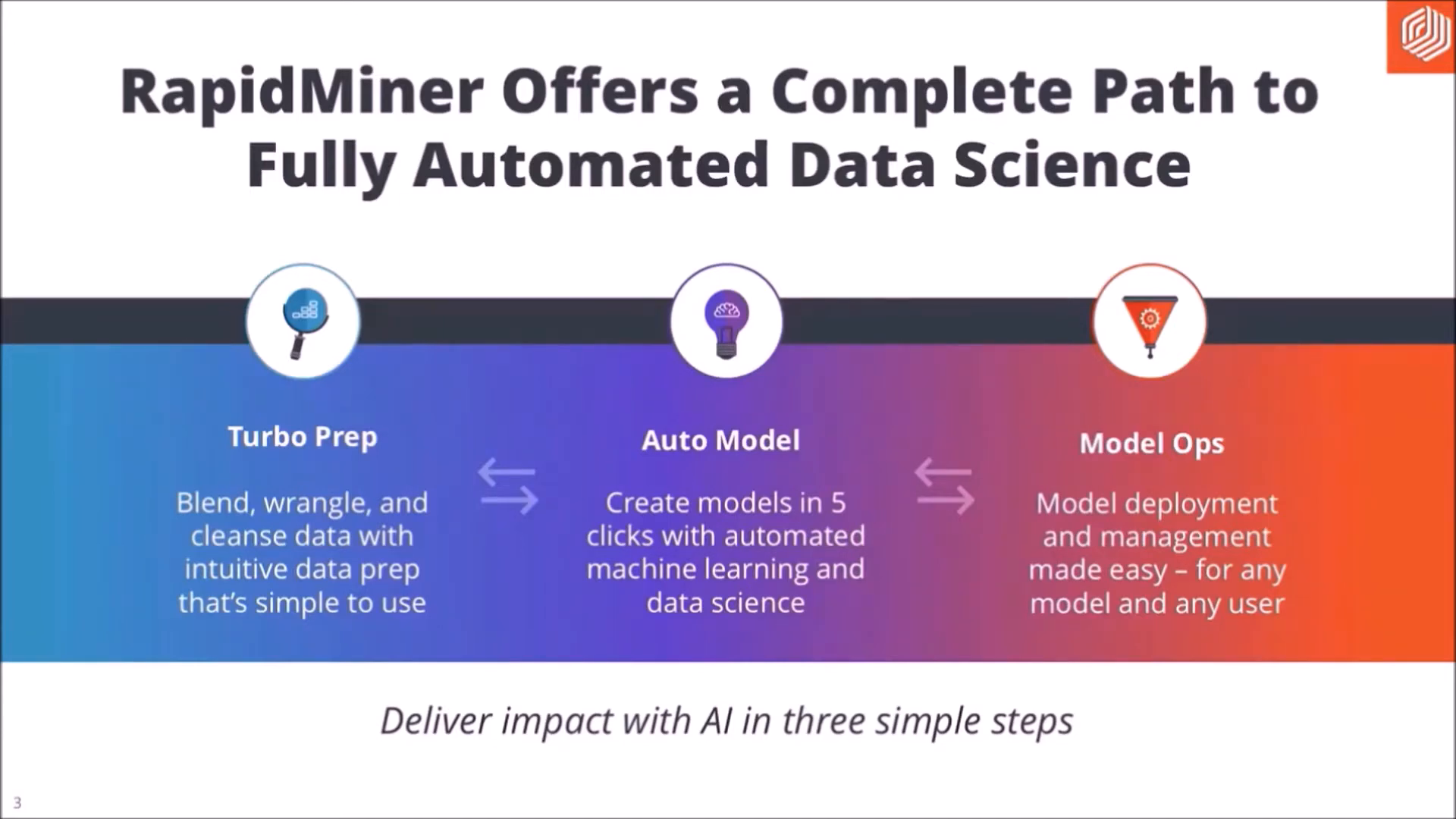
Rapidminer is a leading data science platform that supports every phase of the data science process. It offers capabilities for data preparation, machine learning, and model deployment all in one place. This section will introduce you to Rapidminer, focusing on its online and desktop versions.
🌐 Rapidminer Online
The online version of Rapidminer is accessible via their website. To get started, you need to create an account. Once registered, you can access the free Rapidminer Go, which allows for quick data processing. This section will guide you through the steps to build a predictive model using the online platform.
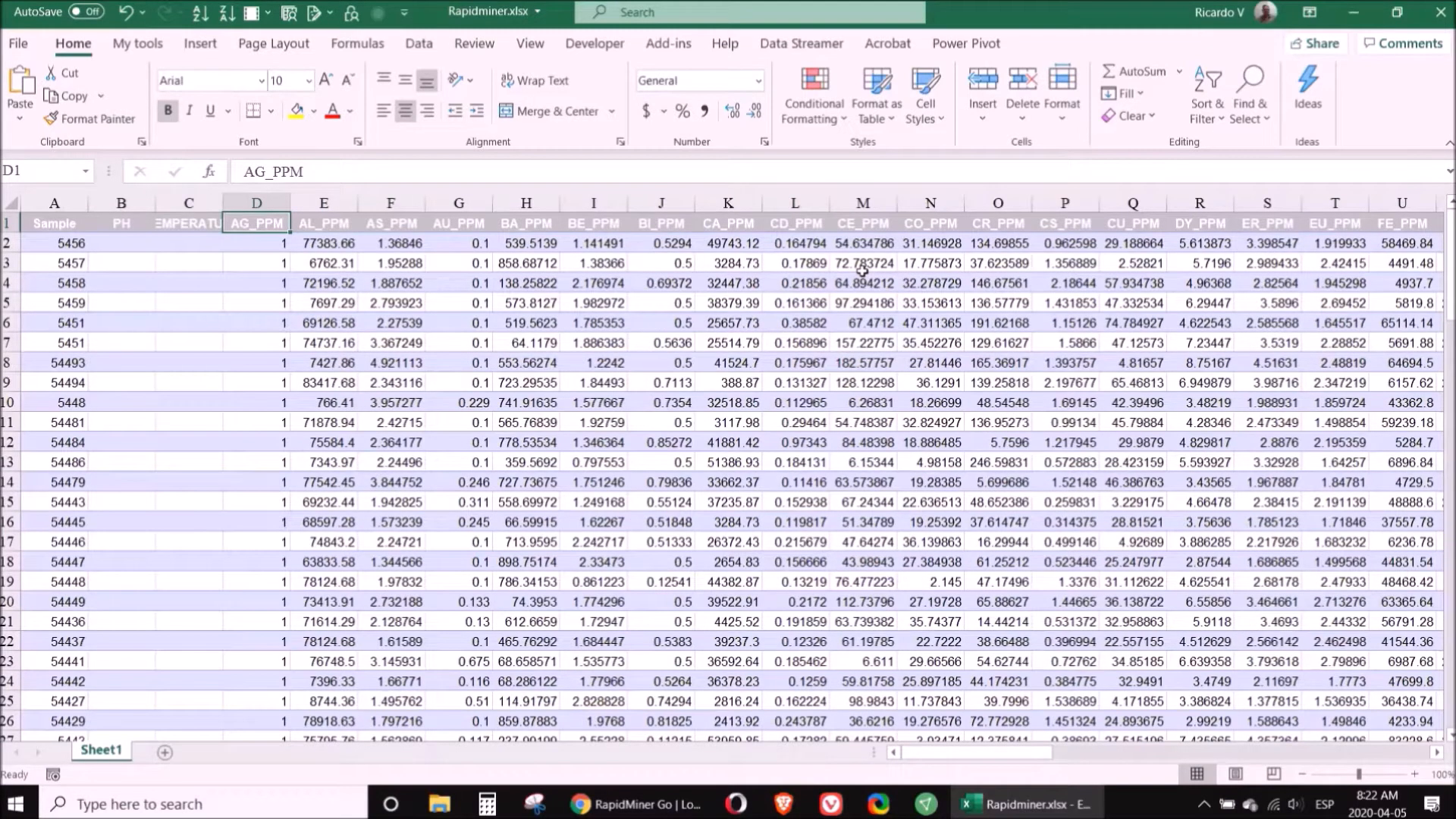
First, log into your Rapidminer account. You will be greeted with an interface that allows you to upload your data. For this tutorial, we will use a dataset containing 68 parameters and 119 samples related to domestic clients in the U.S. from 2007 to 2008.
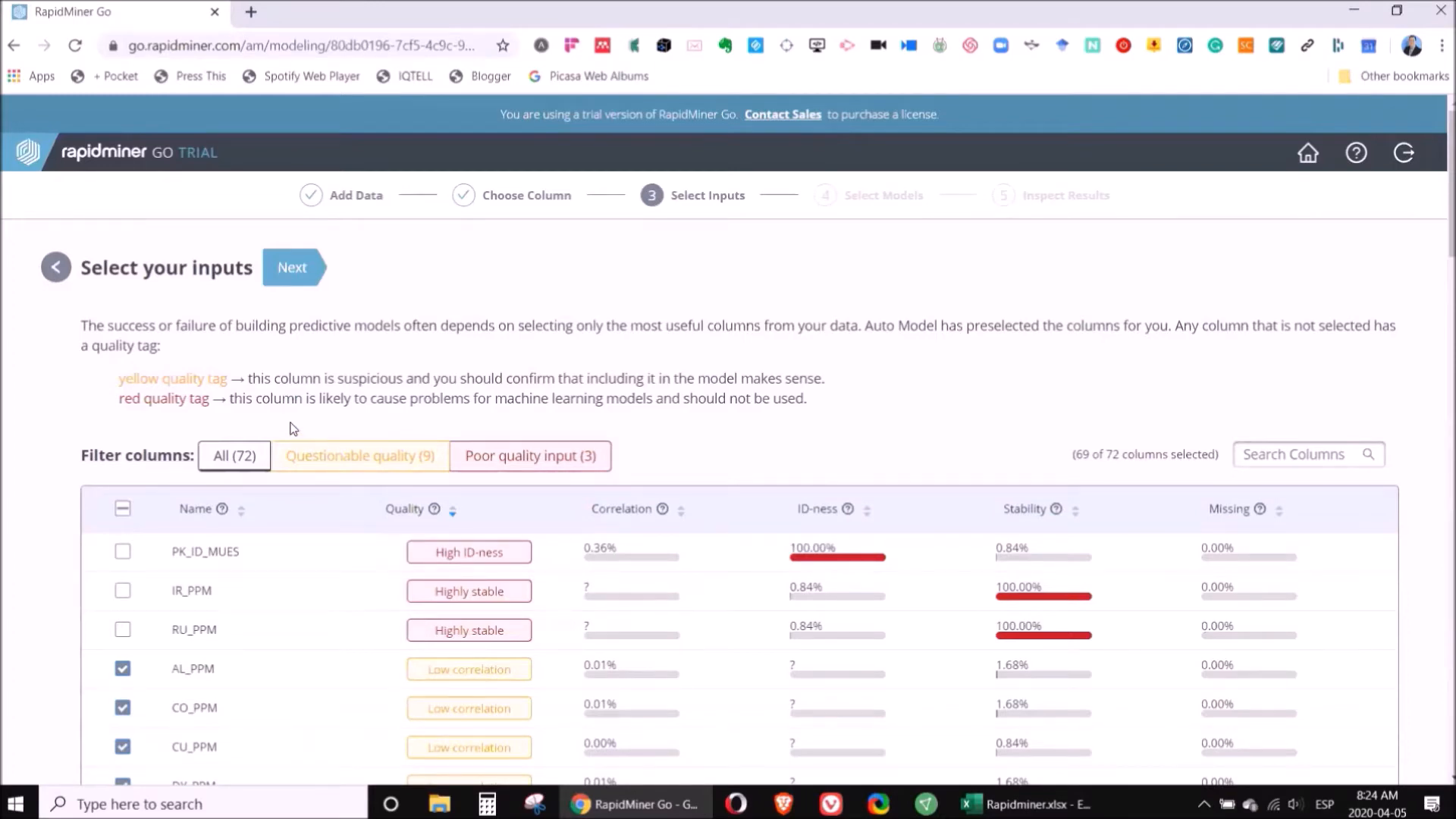
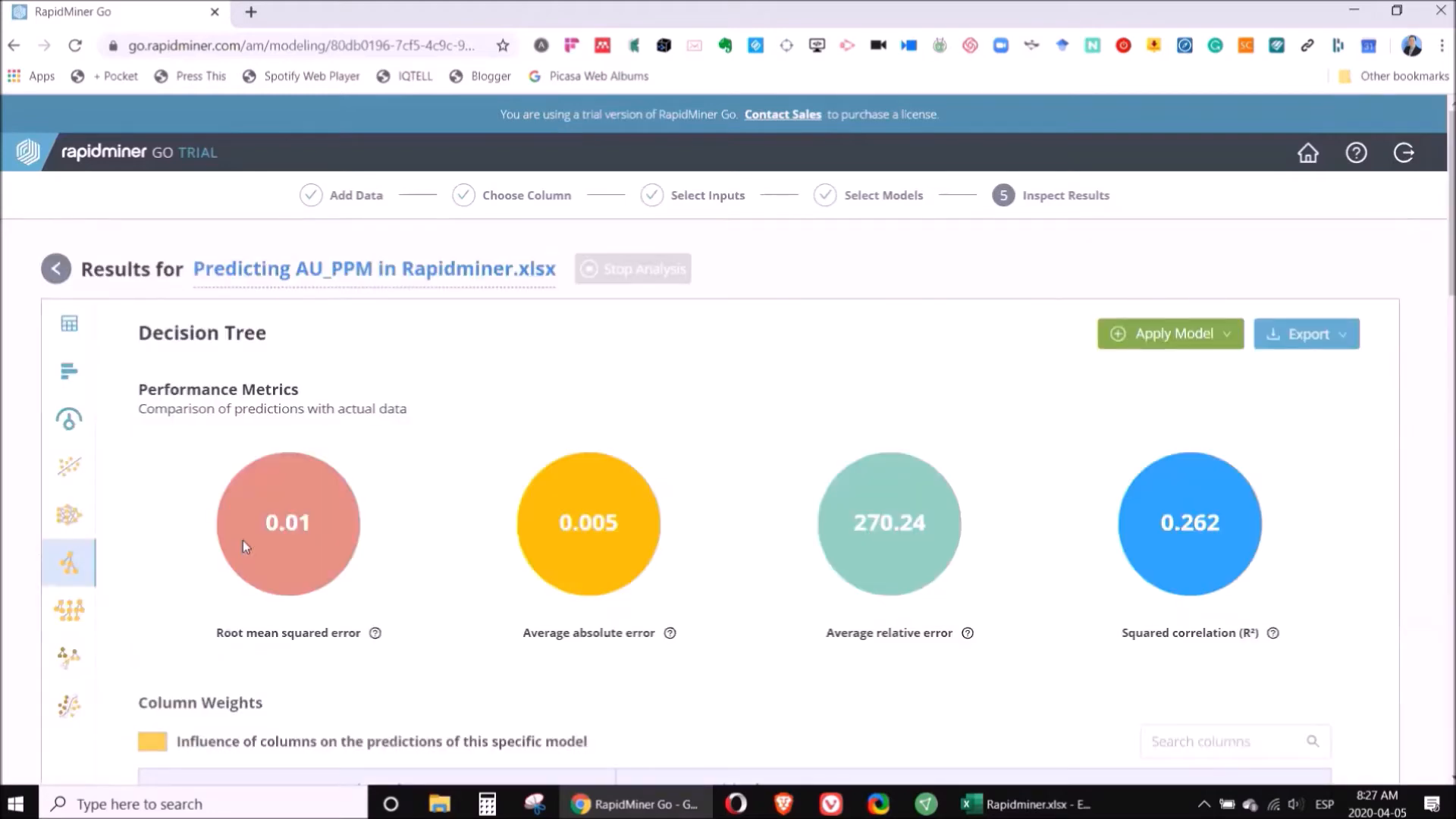
Once you have uploaded the data, select the column you want to predict. For example, if you are predicting gold concentration, you will focus on the relevant column. Rapidminer will automatically suggest which elements are the most significant for your prediction.
After selecting the important elements, you can run various models. A decision tree is often the best choice for geochemical data analysis. Rapidminer provides a clear explanation of the results, making it easy to understand the model's predictions.
💻 Rapidminer on Desktop
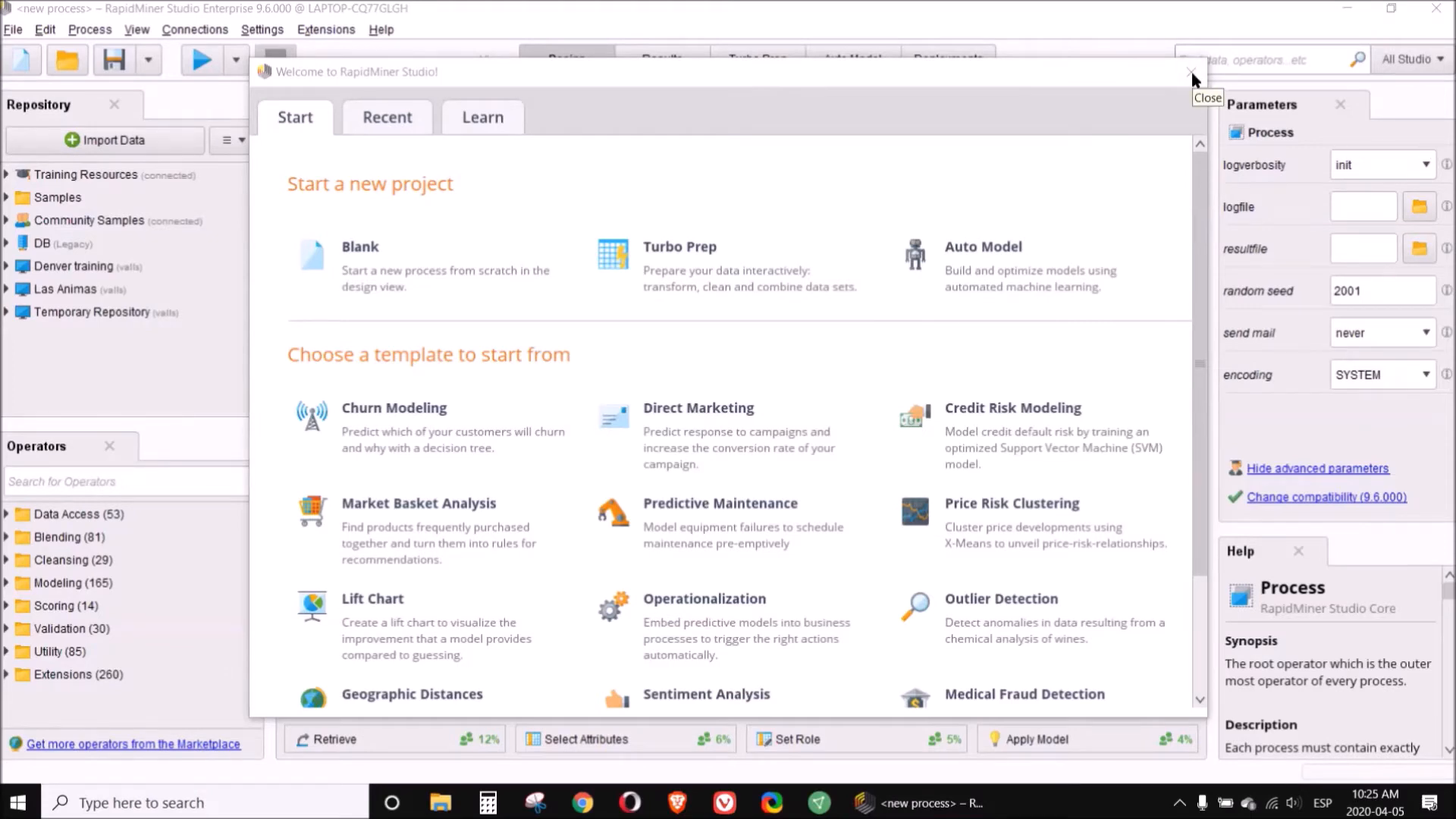
The desktop version of Rapidminer offers additional features and capabilities. You can download it from the Rapidminer website and use it for free for 15 days. After installation, create a new repository for your project. This guide will walk you through setting up your workspace and importing data.
When you open the desktop application, the first step is to create a folder called 'Repositories.' Inside this folder, create two subfolders: one for 'Data' and another for 'Processes.' This organization will help you manage your project efficiently.
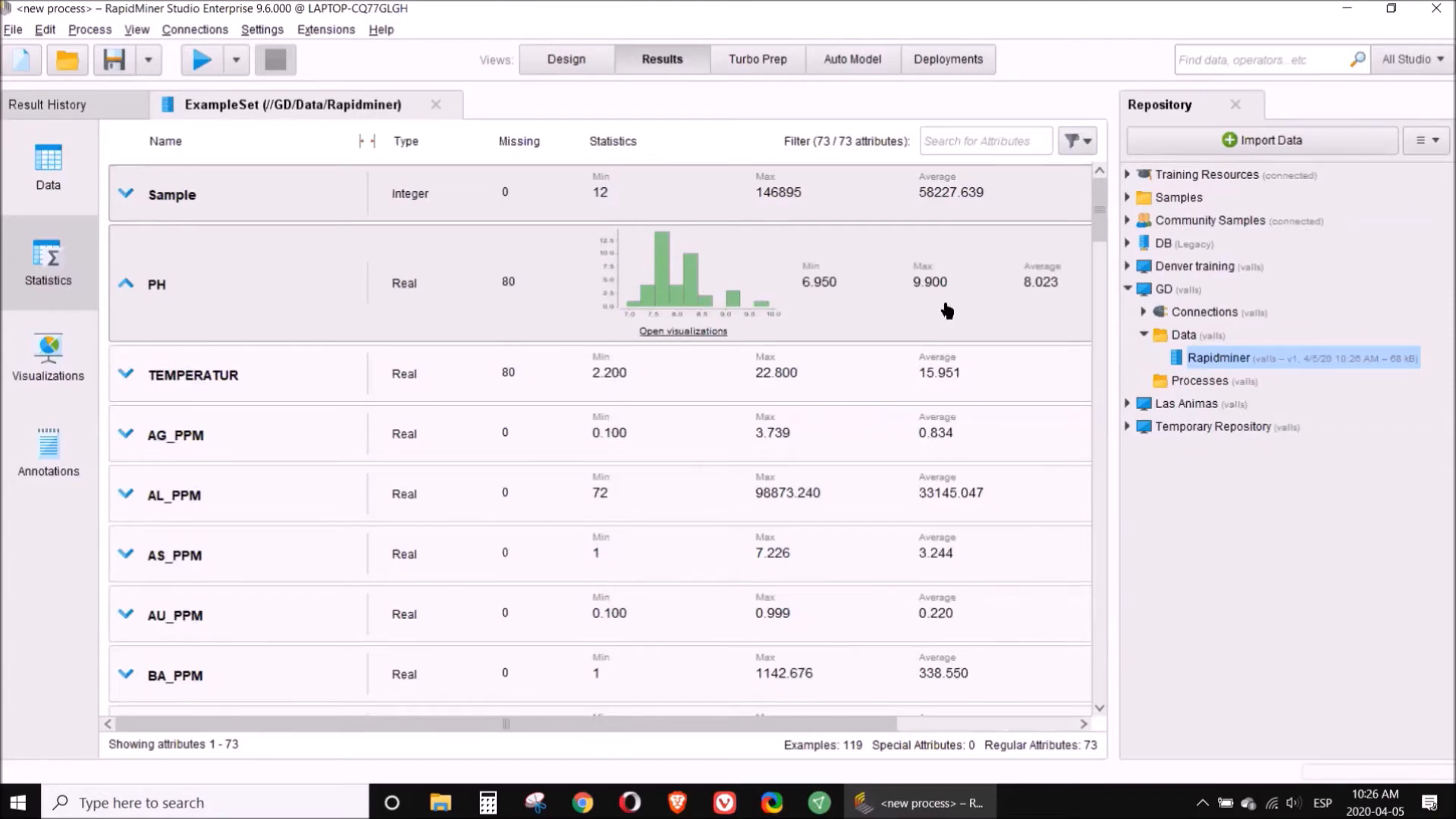
Next, import your data into the 'Data' folder. Ensure that the column you want to predict contains at least 100 valid values for the model to function correctly. Once imported, you can analyze the data using various statistical tools and visualizations provided by Rapidminer.
Utilize the data preparation features to clean your dataset. You can eliminate unnecessary columns or normalize data as needed. After preparing your data, you can start building models using the desktop application. The process is similar to the online version, but you may find additional tools and options available.
🔍 Intro to Talend
Talend is another powerful tool for data processing, particularly known for its ability to handle large datasets and automate data transformation processes. This section will introduce you to Talend and its online capabilities.

🌐 Talend Online
To use Talend, you must have internet access as it opens in a web browser. Once you log in, you can create workflows that automate data processing tasks. Talend is particularly beneficial when dealing with CSV files that require frequent updates.
For instance, if you receive regular CSV files from drilling campaigns, Talend allows you to program the necessary transformations and apply them with a single click. This saves you time and ensures consistency in your data processing.

As you create your workflow, Talend keeps a record of all the changes you make. This feature is incredibly useful for tracking your data processing steps. Additionally, you can access advanced statistics and suggestions for further transformations, enhancing your data preparation process.
❓ FAQ Section
What is the difference between Rapidminer online and desktop versions?
The online version is free and accessible through a web browser, while the desktop version offers more features and requires installation. The desktop version also allows for a trial period of 15 days before requiring a subscription.
How do I choose the right model for my data?
Choosing the right model depends on the nature of your data and your specific goals. For geochemical data, decision trees are often a solid choice. However, Rapidminer allows you to run multiple models to see which performs best.
Can I integrate Talend with Rapidminer?
Yes, you can use Talend to prepare your data and then import it into Rapidminer for analysis. This combination can streamline your data processing workflow significantly.
Is there a learning curve for using these tools?
Both Rapidminer and Talend have user-friendly interfaces, but there may be a learning curve depending on your familiarity with data processing concepts. However, both platforms offer tutorials and community support to help you get started.
In conclusion, mastering Rapidminer and Talend can significantly enhance your data processing capabilities. With the right approach, you can automate processes, analyze data effectively, and make informed decisions based on your findings. Happy data processing!
P. Geo. Ricardo A Valls, M. Sc.
Valls Geoconsultant
ORCID ID- https://orcid.org/0000-0002-5421-0914
Scopus Author ID: 7003369619/35335510700
ResearcherID: S-6604-2018
If you like this content, please "buy me a coffee" https://www.buymeacoffee.com/goldendroplets
#planetearth #geology #mining #exploration #education #earthscience #geologia #earthscienceteacher #cienciasnaturales #cienciasgeologicas #geochemistry #geochemistrybooks #geoquimica #trainingcourses #teachingonline #vallsgeoconsultant #vallsvg #technotectonics #goldendroplets #geovoices
Friday, September 6, 2024
https://youtu.be/7JUGr-2L-pE
https://youtu.be/gjD5o9j_gQI
https://youtu.be/b4zz-Yo0wVw
https://youtu.be/rEihMT0yO-w
https://youtu.be/Yc2tIVdIfxs
https://youtu.be/YF2GTqWT4_M
https://youtu.be/hqCMA0PpU1k
https://youtu.be/HvKZZkmGMAA
New Way to Process Geochemical Data
In the exploration and analysis of geochemical data, traditional methods may not always suffice. This blog post will introduce a new way to process geochemical data effectively, leveraging modern software tools. By following these steps, you can enhance your data processing capabilities and improve the accuracy of your geochemical interpretations.
📝 Step 1: Intro
Welcome to the world of geochemical data processing! In this tutorial, we will explore step-by-step how to clean, normalize, and analyze geochemical data. This approach combines different software tools such as Excel, RapidMiner, Weka, CoDa, and Surfer to achieve comprehensive results. Let's get started!
📋 Step 2: Table of Content
Before diving into the details, it's essential to have a structured approach. Here’s a brief overview of the steps we will cover:
- Cleaning
- Normalization
- Erosion
- Anomalies
- Classification
- Tree View
- Limitations
- Interpretation
- Classifications
🧼 Step 3: Cleaning
The first step in processing geochemical data is cleaning. This involves removing unnecessary columns and ensuring that only relevant information remains. Start by identifying the sample number, parameters, and coordinates that are essential for your analysis.
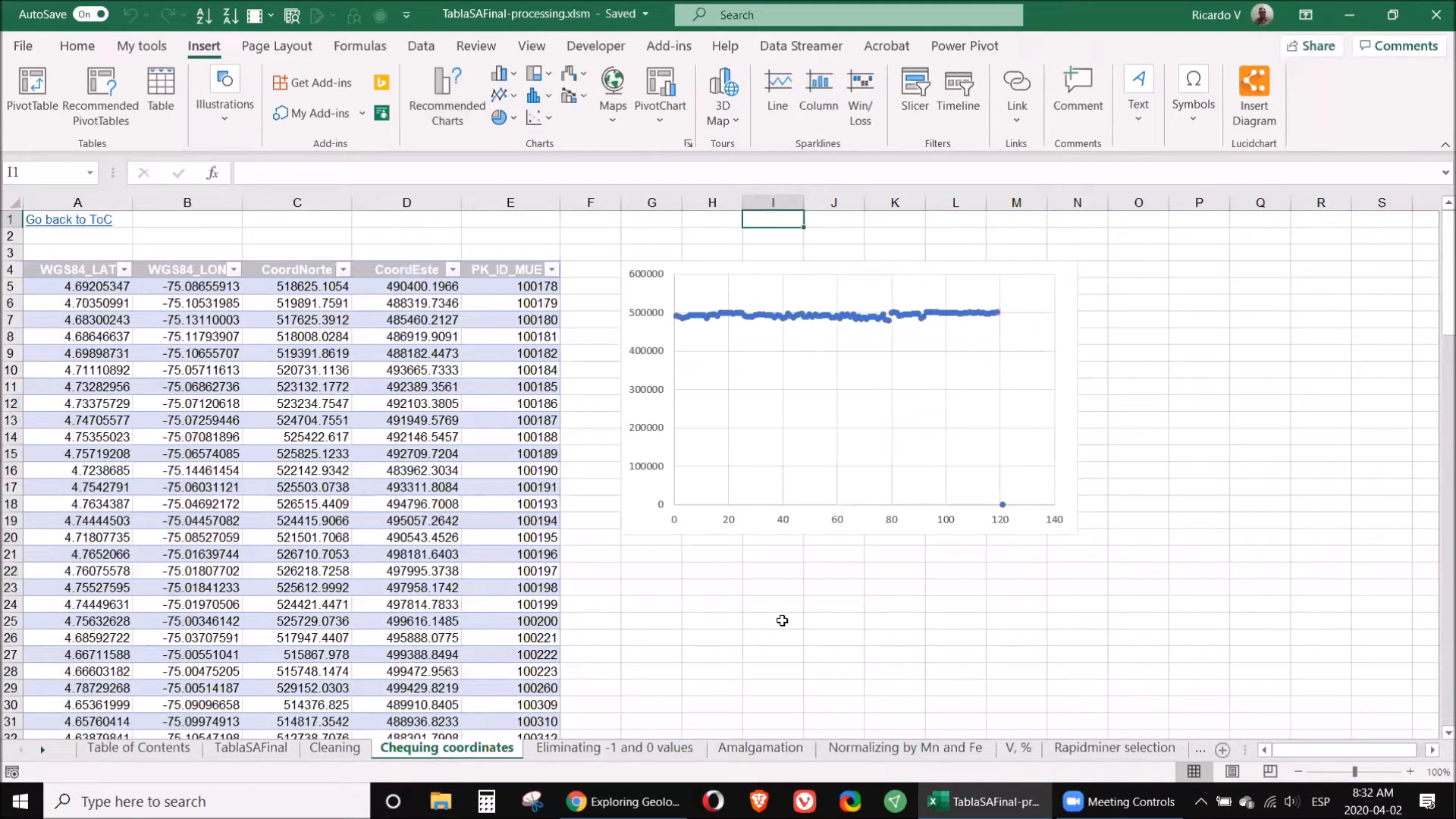
To check for coordinate accuracy, create a new table with your coordinates, select the relevant columns, and insert a chart. This visual representation will help identify any discrepancies. For instance, if a sample's coordinates are missing a digit, it's crucial to rectify this by contacting the data provider or removing the sample if necessary.
Additionally, eliminate any rows with zeros or negative values, as these typically indicate data below the detection limit or unmeasured samples. Always retain the original data format to allow for future revisions.
🔄 Step 4: Normalization
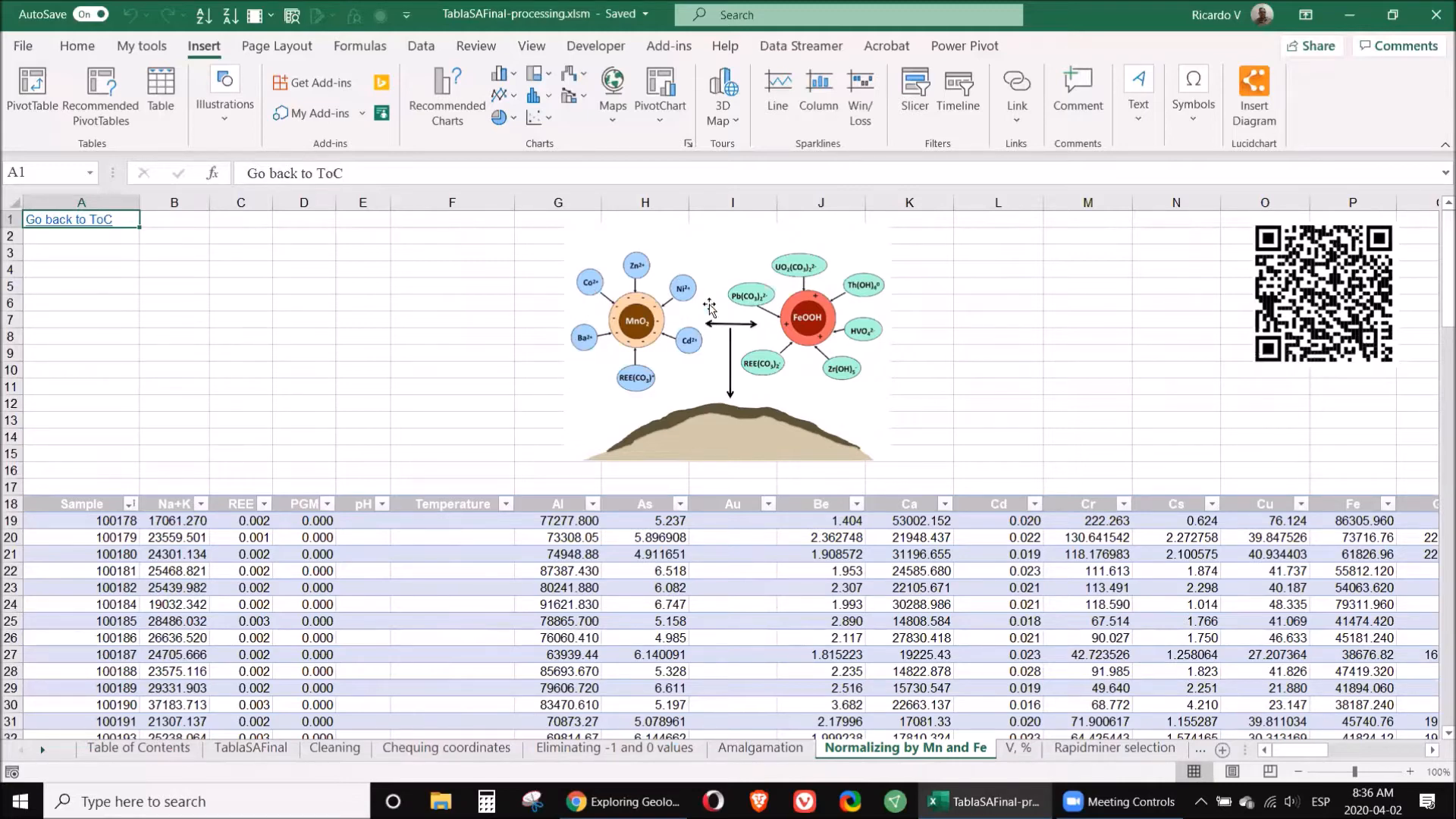
Normalization is a critical step to ensure that the data is comparable across different elements. This involves adjusting values based on a common reference, usually the concentrations of manganese and iron. The aim is to mitigate any anomalies caused by precipitation reactions that might skew results.
To normalize your data, divide each element's value by the corresponding manganese or iron value. This adjustment will provide a clearer picture of the true concentrations present in your samples.
🏞️ Step 5: Erosion
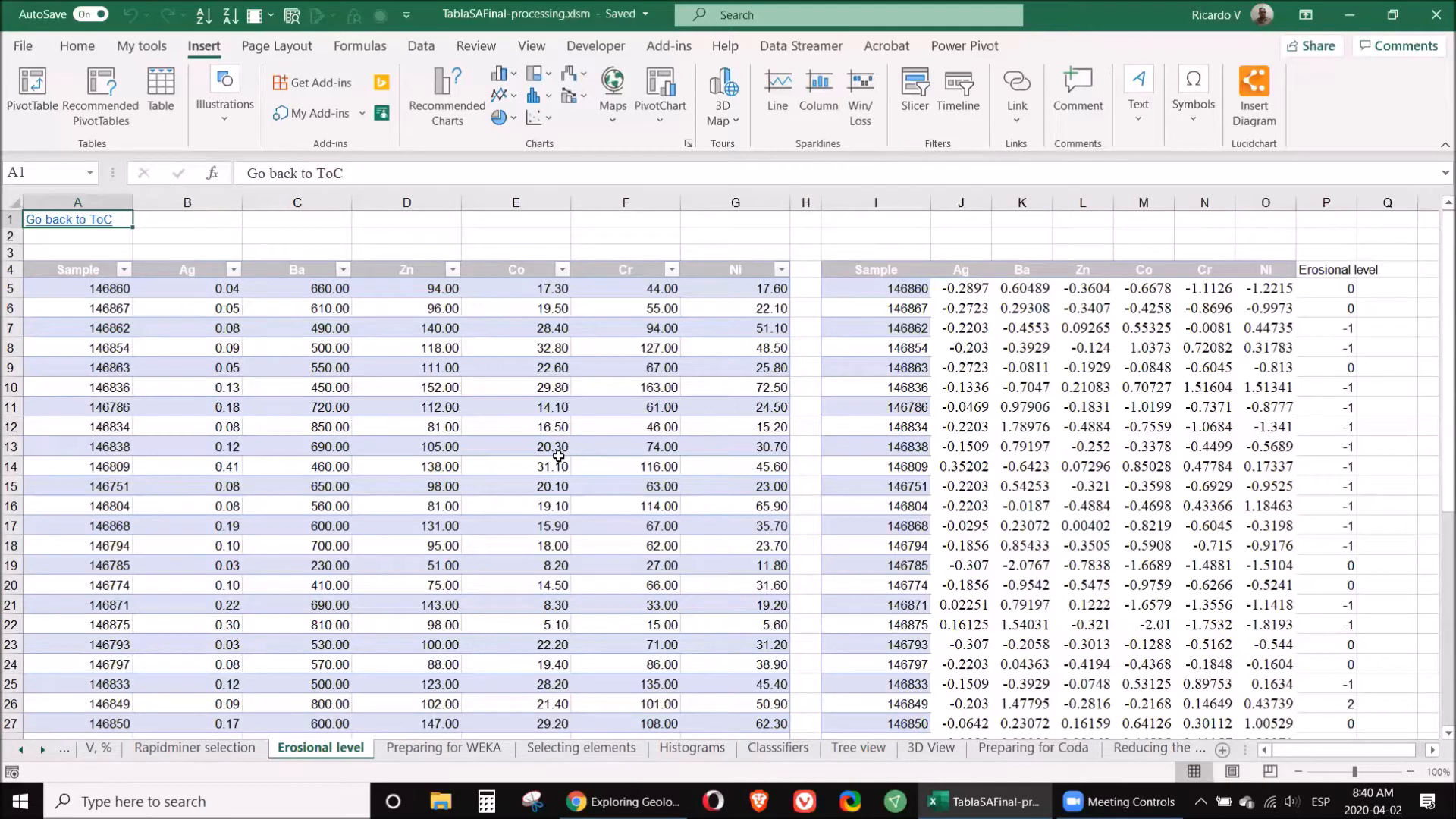
Understanding the erosional level of your samples is vital as it can indicate the presence of previously existing ore bodies. Different elements tend to accumulate at various levels in the geological profile. For example, supra-mineral elements such as silver and mercury are typically found above ore deposits, while infra-mineral elements like nickel and cobalt are located below.
To assess erosional levels, calculate the coefficient of supra to infra elements. A value significantly greater than one suggests that the sample is situated in a promising area, whereas a lower value indicates that you might be exploring in an already eroded zone.
📊 Step 6: Anomalies
Identifying anomalies in your data is crucial for targeting potential mineralization. Use statistical methods to flag samples that deviate significantly from the norm. This can be achieved through standard deviation analysis, where samples are compared against the average to identify outliers.
Utilizing software like RapidMiner can enhance this process, allowing for a more sophisticated analysis of which elements show the most significant variability. This step ensures that you focus on the most promising samples for further exploration.
🔍 Step 7: Classification
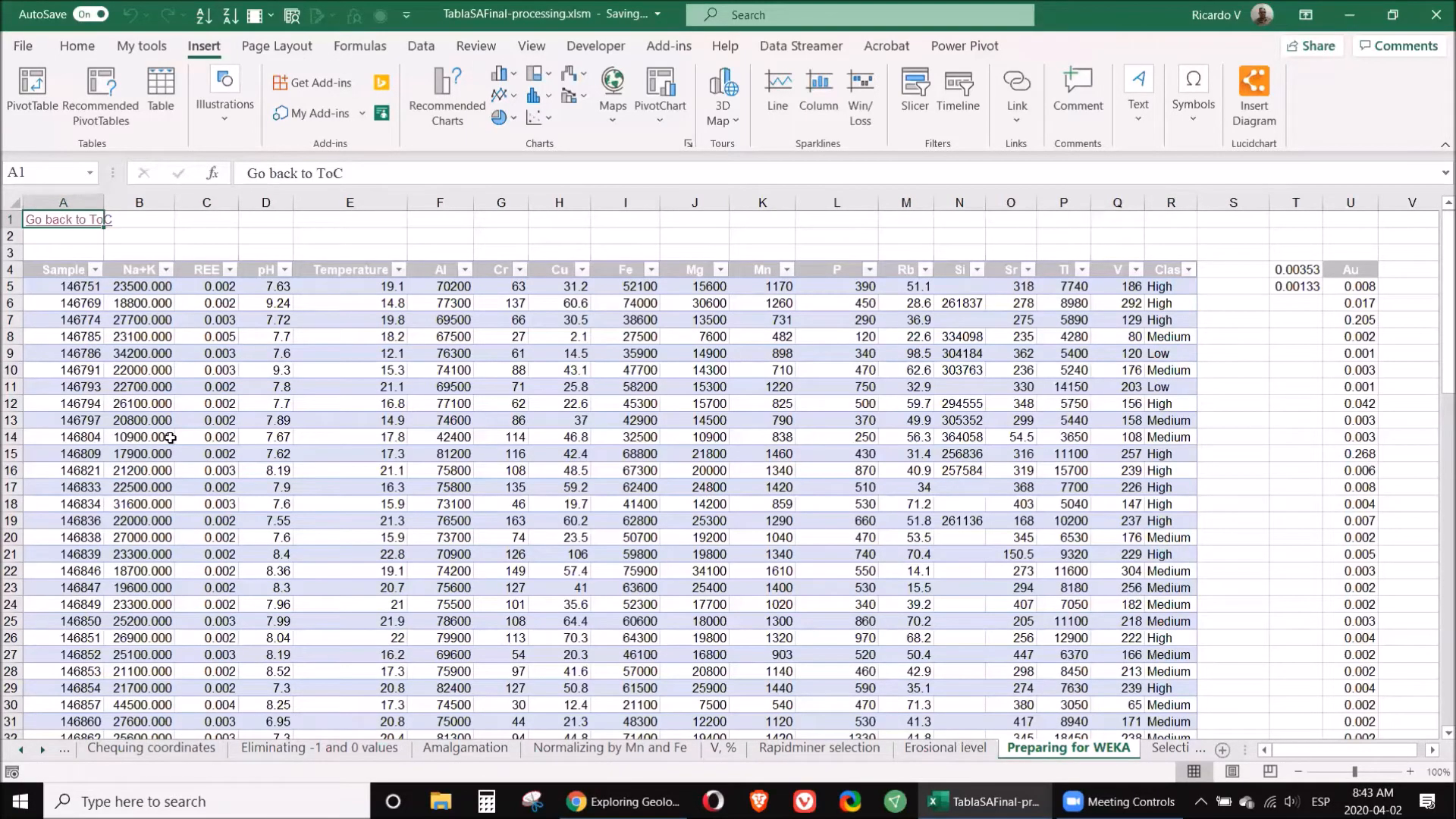
Once you have cleaned and normalized your data, the next step is classification. This involves categorizing your data based on specific criteria, such as the concentration of gold or other target elements. Use quartile analysis to categorize samples into high, medium, and low classes based on their values.
For example, if a sample's gold value exceeds the third quartile, it can be classified as high. This classification will aid in determining which samples warrant further analysis.
🌳 Step 8: Tree View
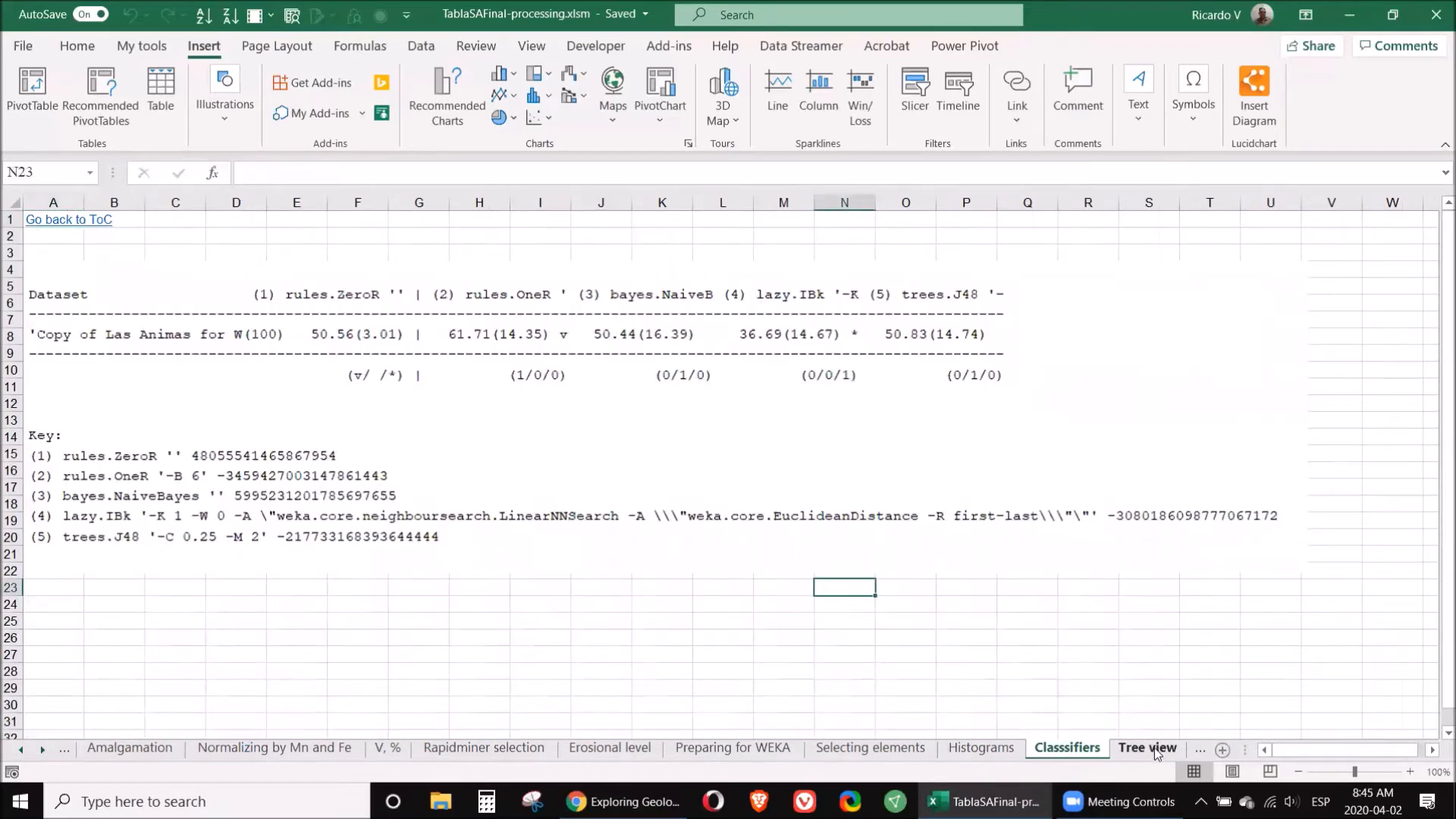
Utilizing a tree view can provide a visual representation of your classification results. This technique helps in understanding the relationships between various elements and identifying patterns within your data. The tree view allows for a clear depiction of how different samples cluster based on their elemental composition.
⚠️ Step 9: Limitations
While the methods discussed are powerful, it's essential to recognize their limitations. Data quality is paramount; any errors in the original dataset can lead to inaccurate conclusions. Additionally, the choice of software and algorithms can influence the results, so it's crucial to select the right tools for your specific needs.
🧭 Step 10: Interpretation
The final step in processing geochemical data is interpretation. This involves synthesizing all the information gathered through cleaning, normalization, and classification to draw meaningful conclusions about your samples. Consider the geological context, such as the type of mineralization and potential sources of the elements detected.
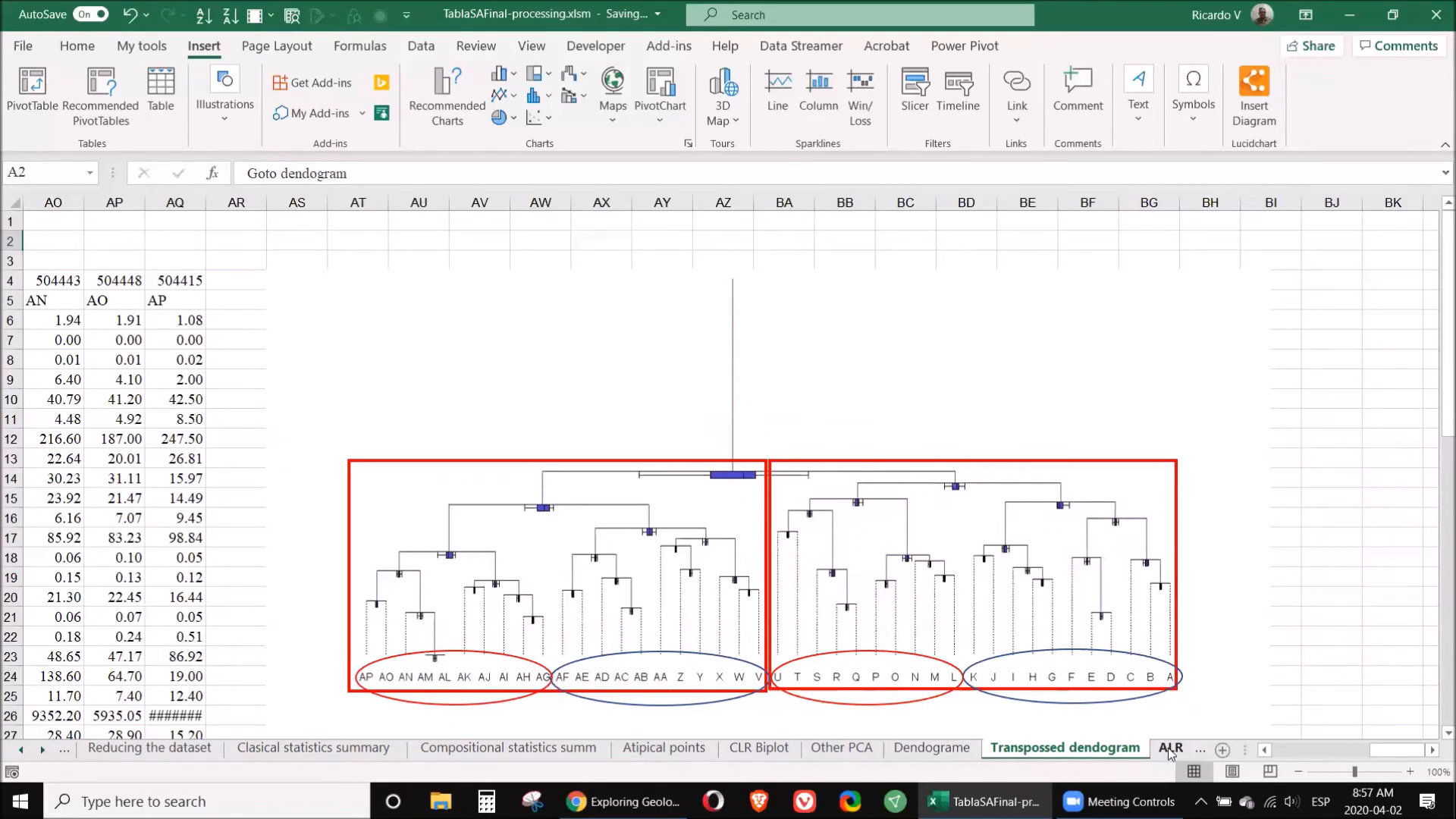
📚 Step 11: Classifications
In this step, you will apply the classifications made earlier to guide your exploration efforts. By understanding which samples are high in valuable elements, you can prioritize your sampling strategy and focus on areas with the highest potential for discovery.
❓ FAQ
What software do I need to process geochemical data?
You will need software tools such as Excel, RapidMiner, Weka, CoDa, and Surfer to effectively process and analyze your geochemical data.
How do I clean my geochemical data?
Cleaning involves removing unnecessary columns, correcting any errors in coordinates, and eliminating samples with invalid data points. Always keep a copy of the original data for reference.
What is normalization in geochemical data processing?
Normalization adjusts the values of different elements to a common reference point, usually based on manganese and iron concentrations, to ensure comparability across the dataset.
How can I identify anomalies in my data?
Use statistical analysis, such as standard deviation calculations, to identify samples that significantly deviate from the average concentrations. Software like RapidMiner can assist in this process.
What should I do if I encounter limitations in my data?
Recognize that data quality and software choice are crucial. Always validate your data and be cautious of any potential errors that could affect your conclusions.
By following these steps, you will be equipped to implement a new way to process geochemical data effectively. Embrace these modern techniques to enhance your exploration efforts and improve your findings.
For further reading and resources, consider accessing the ORCID link for additional materials and insights.
P. Geo. Ricardo A Valls, M. Sc.
Valls Geoconsultant
ORCID ID- https://orcid.org/0000-0002-5421-0914
Scopus Author ID: 7003369619/35335510700
ResearcherID: S-6604-2018
If you like this content, please "buy me a coffee" https://www.buymeacoffee.com/goldendroplets
#planetearth #geology #mining #exploration #education #earthscience #geologia #earthscienceteacher #cienciasnaturales #cienciasgeologicas #geochemistry #geochemistrybooks #geoquimica #trainingcourses #teachingonline #vallsgeoconsultant #vallsvg #technotectonics #goldendroplets #geovoices