The world of geochemistry and geology is complex, particularly when it comes to analyzing compositional data. In this blog, we explore the use of CodaPack, a powerful tool for compositional data analysis (CoDa). This guide will cover everything from data preparation to principal component analysis, providing you with a comprehensive understanding of how to utilize CodaPack effectively. With a focus on specifications, comparisons, pros, cons, and overall recommendations, this blog aims to enhance your analytical skills in geochemistry and geology.
Table of Contents
- 📘 Introduction
- 🔧 Data Preparation
- 📥 Import Data
- 🔄 Data Transformation
- 📊 Grouping
- 📤 Exporting
- 📈 Principal Component Analysis
- ❓ FAQ Section
- 🔍 Conclusion
📘 Introduction
CodaPack is designed for handling compositional data, which is common in geochemical analysis. This type of data often represents proportions of different components, making traditional statistical methods unsuitable. Therefore, understanding how to manipulate and analyze this data using Coda is essential for geologists and geochemists alike. Throughout this blog, we will delve into the steps required to prepare, import, and analyze your data effectively.
🔧 Data Preparation
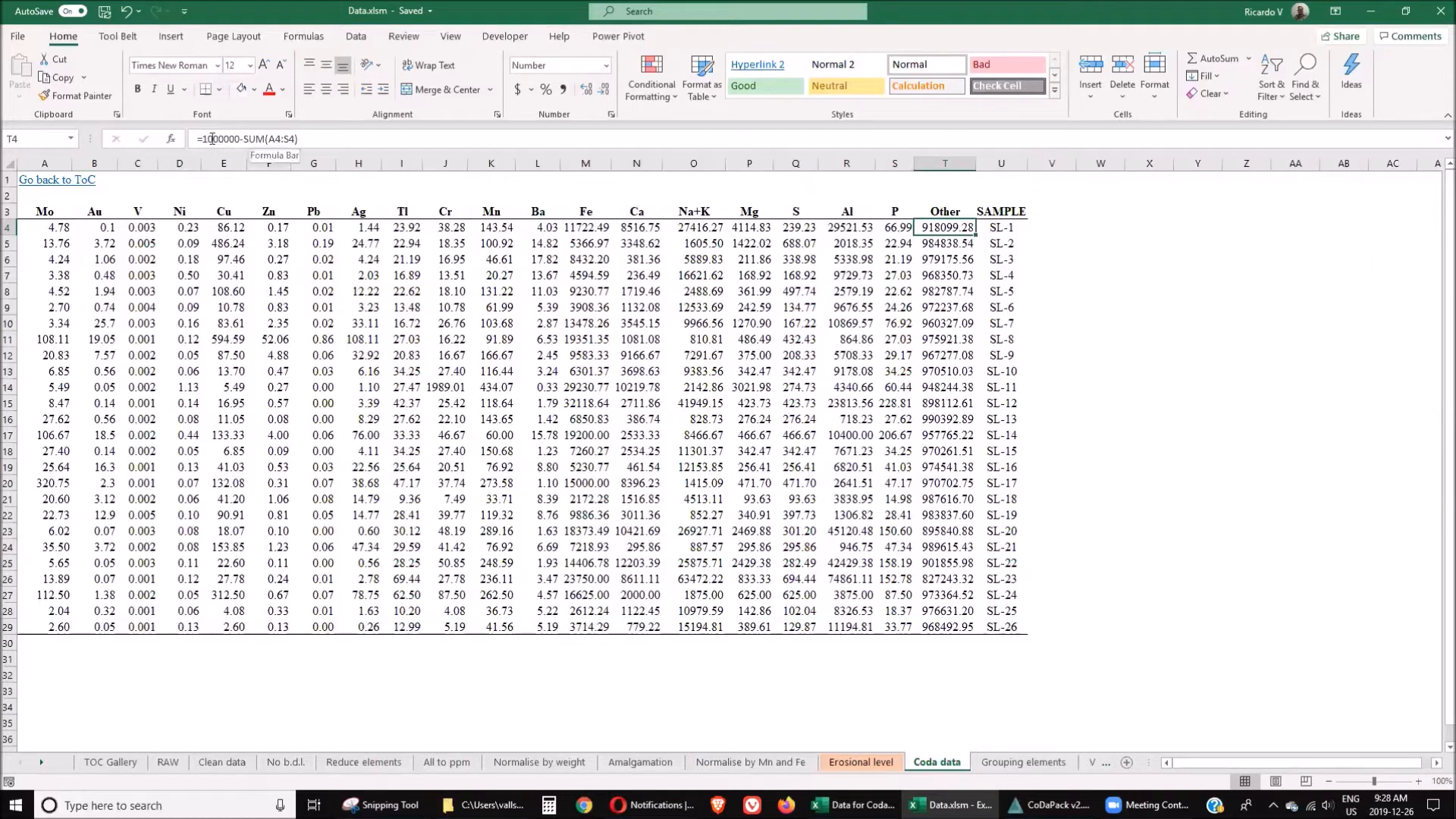
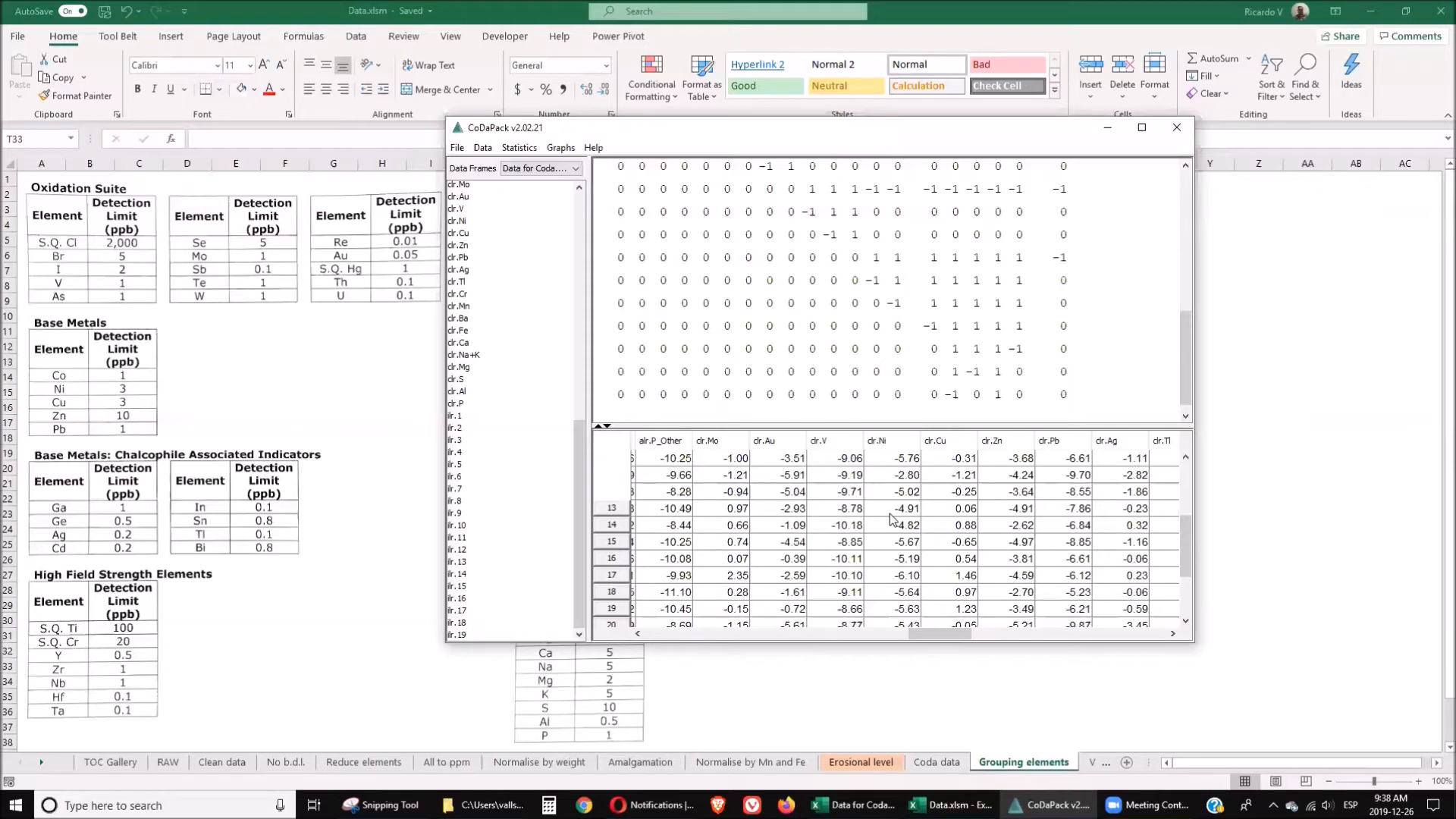
Before using CodaPack, proper data preparation is crucial. The first step is to ensure that your data is organized in a format that the software can easily read. This typically involves creating a new column that represents the total of all trace elements in your dataset. This total should equal 100%, which is vital for compositional data analysis.
- Add a new column named "Other."
- Calculate "Other" as 100% minus the sum of trace elements.
- Organize elements based on their genetic origins.
- Group elements into relevant categories.
For instance, elements like molybdenum and gold belong to the precious metals category, while nickel, copper, and zinc fall under base metals. This organization is essential for subsequent analysis.
📥 Import Data
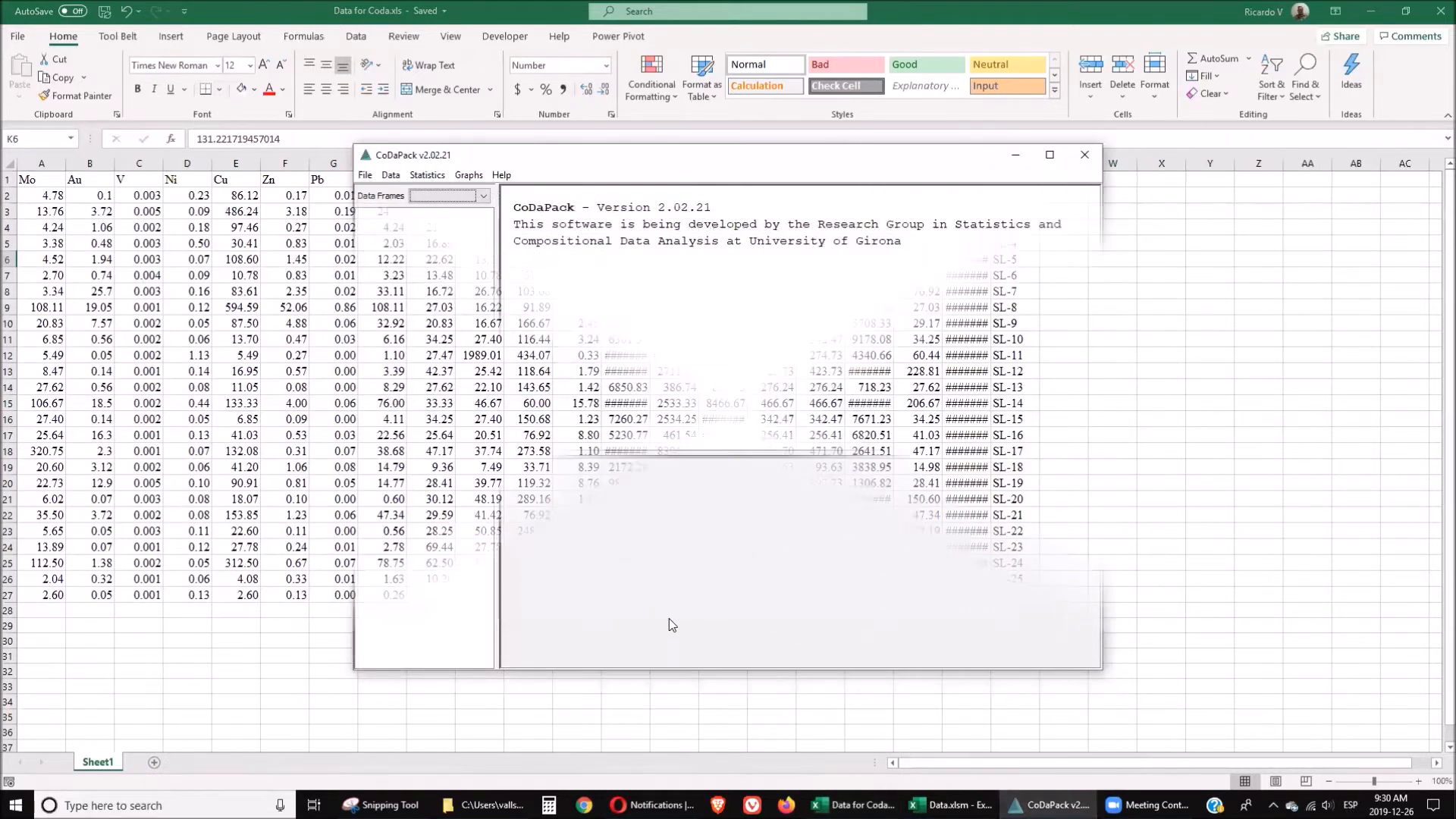
Once your data is prepared, the next step is to import it into CodaPack. The software can handle various file formats, including CSV, TXT, and XLS. To import your data:
- Open CodaPack and select the import option.
- Choose the appropriate file type (CSV, TXT, etc.).
- Ensure that the headers are correctly recognized.
Upon successful import, CodaPack will display your data, allowing you to proceed with your analysis.
🔄 Data Transformation
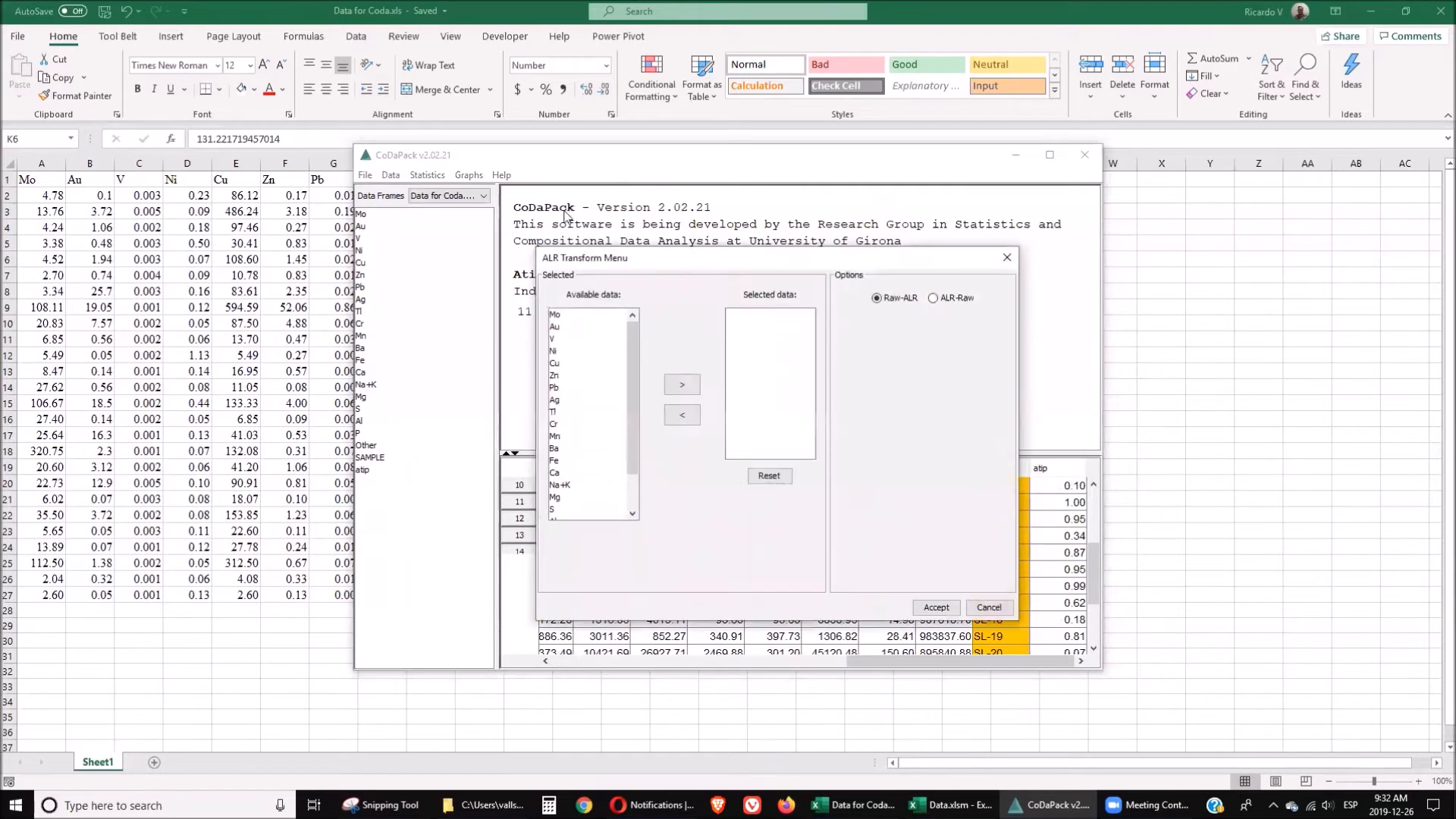
Transforming your data is a critical step in compositional data analysis. CodaPack provides several transformation methods, including:
- Alr (Additive Log-Ratio)
- Clr (Centered Log-Ratio)
- Ilr (Isometric Log-Ratio)
Each method has its specific use cases, and selecting the right one depends on your analysis goals. For instance, the ALR transformation is the simplest, while ILR is more complex but can provide deeper insights.
📊 Grouping
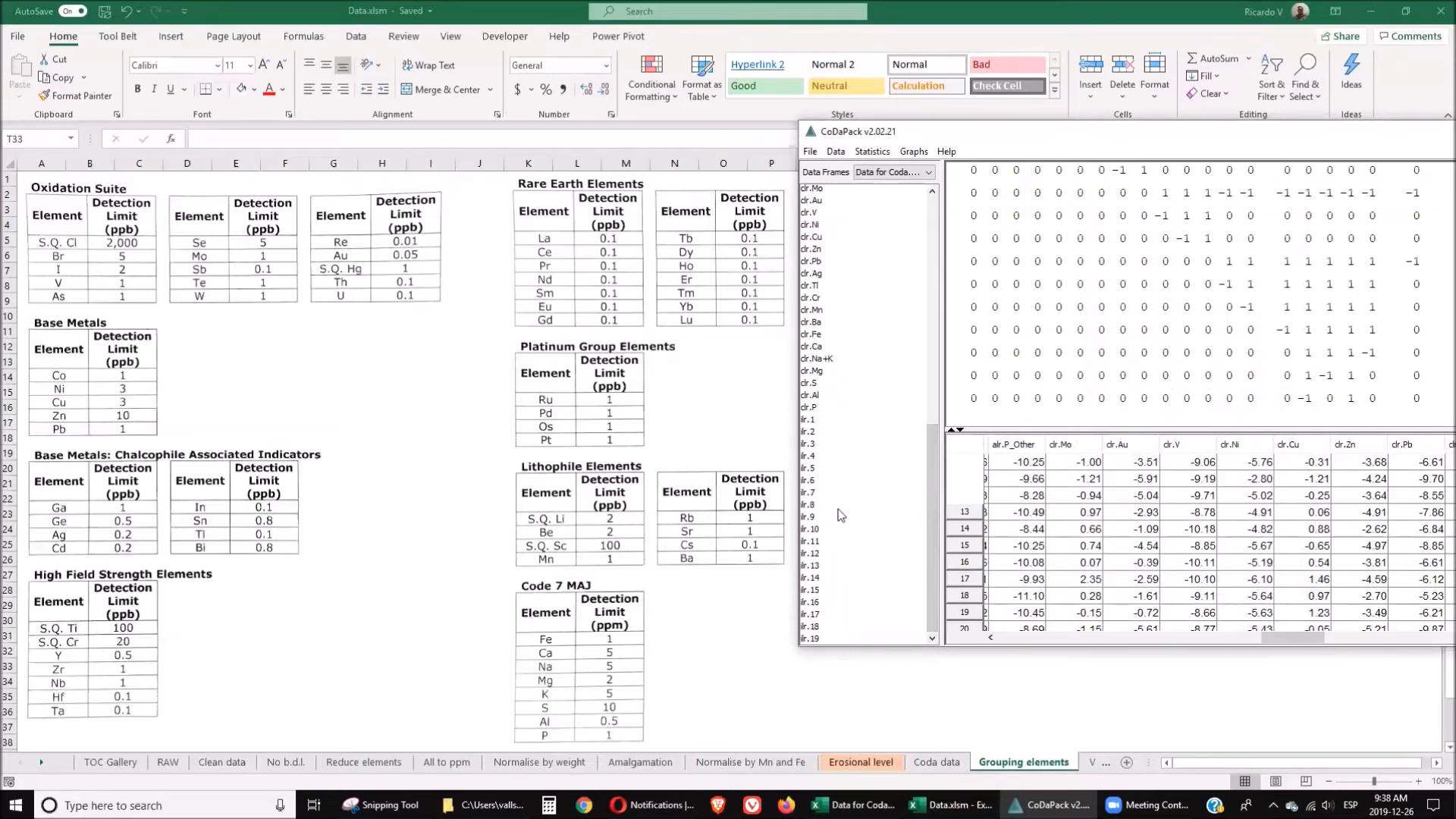
Grouping your data is essential for effective analysis. In CodaPack, you can create groups based on the genetic origins of the elements. This step involves defining a matrix that organizes elements into meaningful categories. For example:
- Group precious metals together.
- Cluster base metals into a separate group.
- Identify and categorize rare earth elements.
After creating your groups, you can use CodaPack to generate various analyses based on these categories.
📤 Exporting
Once your data has been transformed and grouped, exporting it back to Excel allows for further analysis using traditional statistical methods. In CodaPack, this process is straightforward:
- Select the export option.
- Choose Excel as the output format.
- Save your file with a descriptive name.
This exported file can then be used for additional statistical analysis, visualizations, or reporting.
📈 Principal Component Analysis
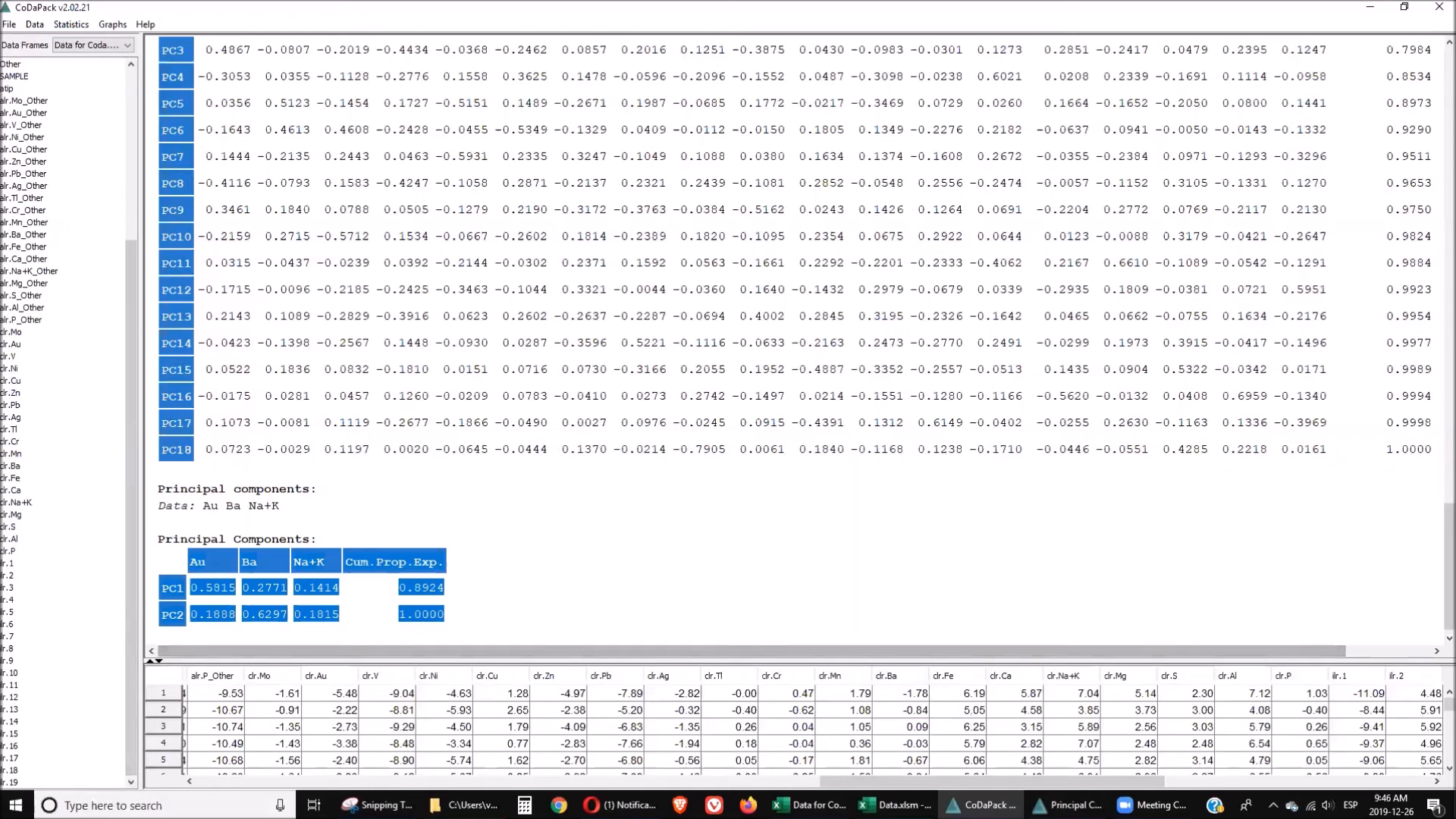
Principal Component Analysis (PCA) is a powerful technique for reducing the dimensionality of your data while preserving as much variance as possible. In CodaPack, PCA can be performed after you have grouped and transformed your data. Here’s how to do it:
- Select the PCA option from the analysis menu.
- Choose the relevant groups and elements.
- Generate the PCA results.
The output will illustrate the relationships between different elements, helping you identify key components driving the variation in your data.
❓ FAQ Section
What is CodaPack?
CodaPack is software designed for compositional data analysis, particularly useful in geochemistry and geology.
Why is data preparation important?
Proper data preparation ensures that your analysis is accurate and that the software can interpret your data correctly.
What are the main transformation methods in CodaPack?
The main methods include Additive Log-Ratio (ALR), Centered Log-Ratio (CLR), and Isometric Log-Ratio (ILR).
How can I visualize my results?
After exporting data back to Excel, you can create various charts and graphs to visualize your findings.
Where can I find additional resources?
For additional resources, you can check the Golden Droplets Episodes - Mendeley Data for Excel and other file sources related to the series.
Additionally, you can explore ORCID for more information on research contributions.
🔍 Conclusion
Understanding how to use CodaPack for compositional data analysis is invaluable for geologists and geochemists. This guide has outlined the essential steps, from data preparation to principal component analysis, ensuring that you can harness the power of this tool effectively. By following the outlined processes, you can enhance your analytical capabilities in geochemistry and geology, making your research more robust and insightful.
As you continue to explore the world of geochemistry, remember that mastering tools like CodaPack will significantly enhance your ability to analyze and interpret complex data. Happy analyzing!
P. Geo. Ricardo A Valls, M. Sc.
Valls Geoconsultant
ORCID ID- https://orcid.org/0000-0002-5421-0914
Scopus Author ID: 7003369619/35335510700
ResearcherID: S-6604-2018
If you like this content, please "buy me a coffee" https://www.buymeacoffee.com/goldendroplets
#planetearth #geology #mining #exploration #education #earthscience #geologia #earthscienceteacher #cienciasnaturales #cienciasgeologicas #geochemistry #geochemistrybooks #geoquimica #trainingcourses #teachingonline #vallsgeoconsultant #vallsvg #technotectonics #goldendroplets #geovoices
Made with VideoToBlog
No comments:
Post a Comment