In today's academic and industrial landscape, managing publications and projects effectively is essential. Kudos and ORCID are two powerful tools that can help professionals, especially in the field of geology, streamline their work. In this blog, I will guide you through the functionalities of Kudos and ORCID, detailing how to use them effectively for managing your publications and projects.
Step 1: Introduction to Kudos 🌟
Kudos is a platform designed to help researchers and professionals manage their publications efficiently. It allows users to compile a comprehensive list of their works and provides statistics regarding citations and other metrics. This can be particularly useful for geologists looking to showcase their research and track its impact.
To get started, visit grow.kudos.com. Here, you can create an account and start adding your publications. The platform is user-friendly and offers a free service that allows you to link your publications directly in your CV. This feature enables potential collaborators or employers to view your work easily.
Step 2: Adding Publications to Kudos 📄
Once you have set up your Kudos account, the next step is to add your publications. You can do this by simply entering the title or DOI (Digital Object Identifier) of your publication. Kudos will automatically search for your publication details and populate the relevant fields for you.
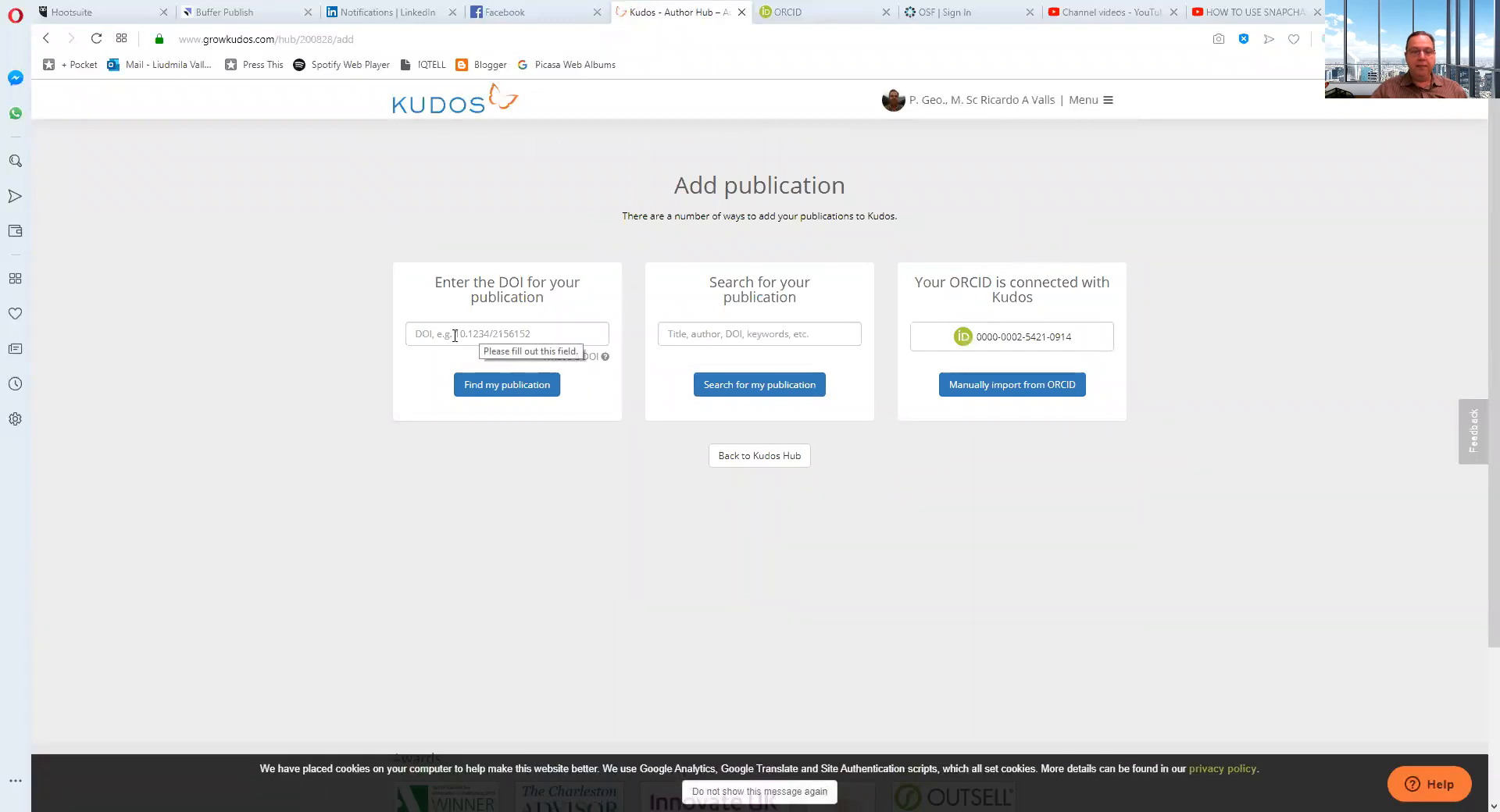
This ease of use makes Kudos a valuable tool, especially for geologists who may have numerous publications to manage. Additionally, Kudos provides statistics such as citation counts and Altmetrics, which can help you understand the reach and impact of your work.
Step 3: Understanding Projects in Kudos 📊
One of the standout features of Kudos is its project management capabilities. This functionality allows users to plan and execute projects effectively. You can create multiple projects and manage them through a dedicated dashboard.
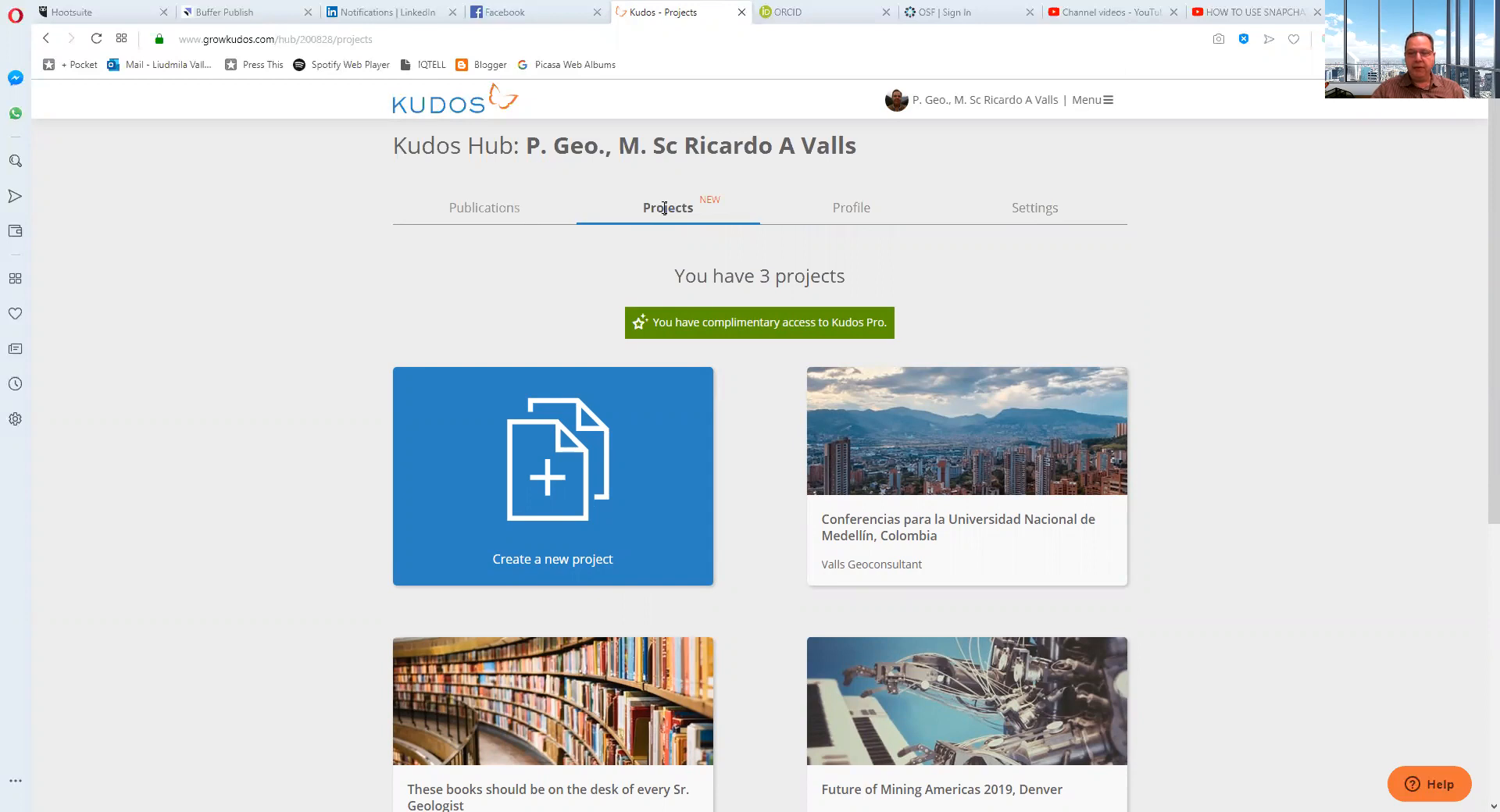
To create a project, select the "Projects" tab. Here, you can input all relevant details, including the project's title, description, and the intended audience. This feature is especially useful for geologists who need to keep track of multiple research projects simultaneously.
Step 4: Planning Your Project Activities 📅
Once your project is set up, Kudos allows you to create a detailed communication plan. This involves defining your target audience, which can range from peers in your field to industry professionals. Understanding your audience is crucial for tailoring your communication strategies effectively.
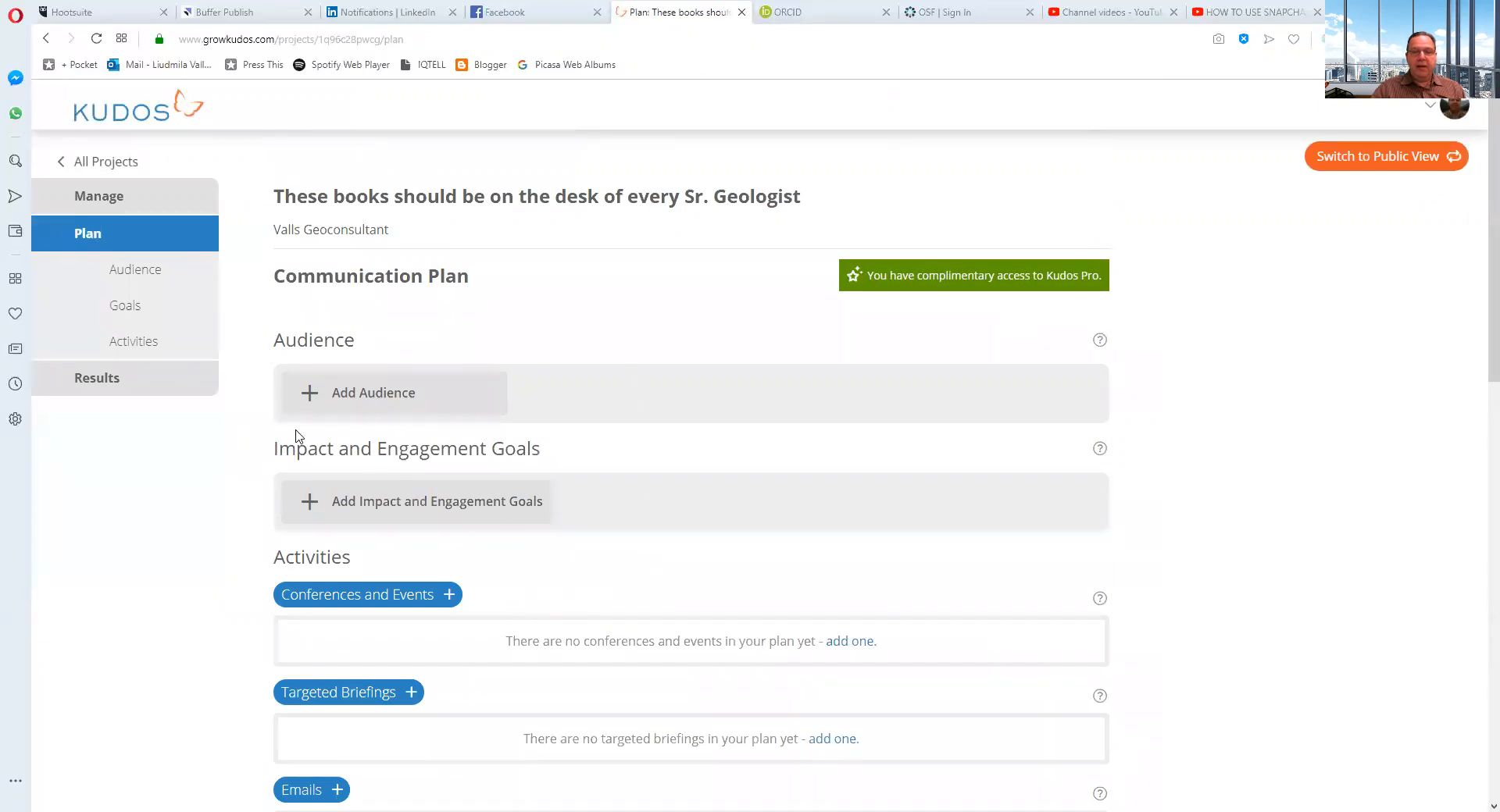
The next step in planning is to define your engagement impact. Here, you can specify your goals, such as increasing understanding or changing attitudes regarding a particular geological issue. This strategic planning can greatly enhance the effectiveness of your outreach efforts.
Step 5: Tracking Project Results 📈
Kudos also provides analytics that allow you to track the success of your projects. You can see how many people visited your project page, which links generated the most interest, and even where your audience is located.
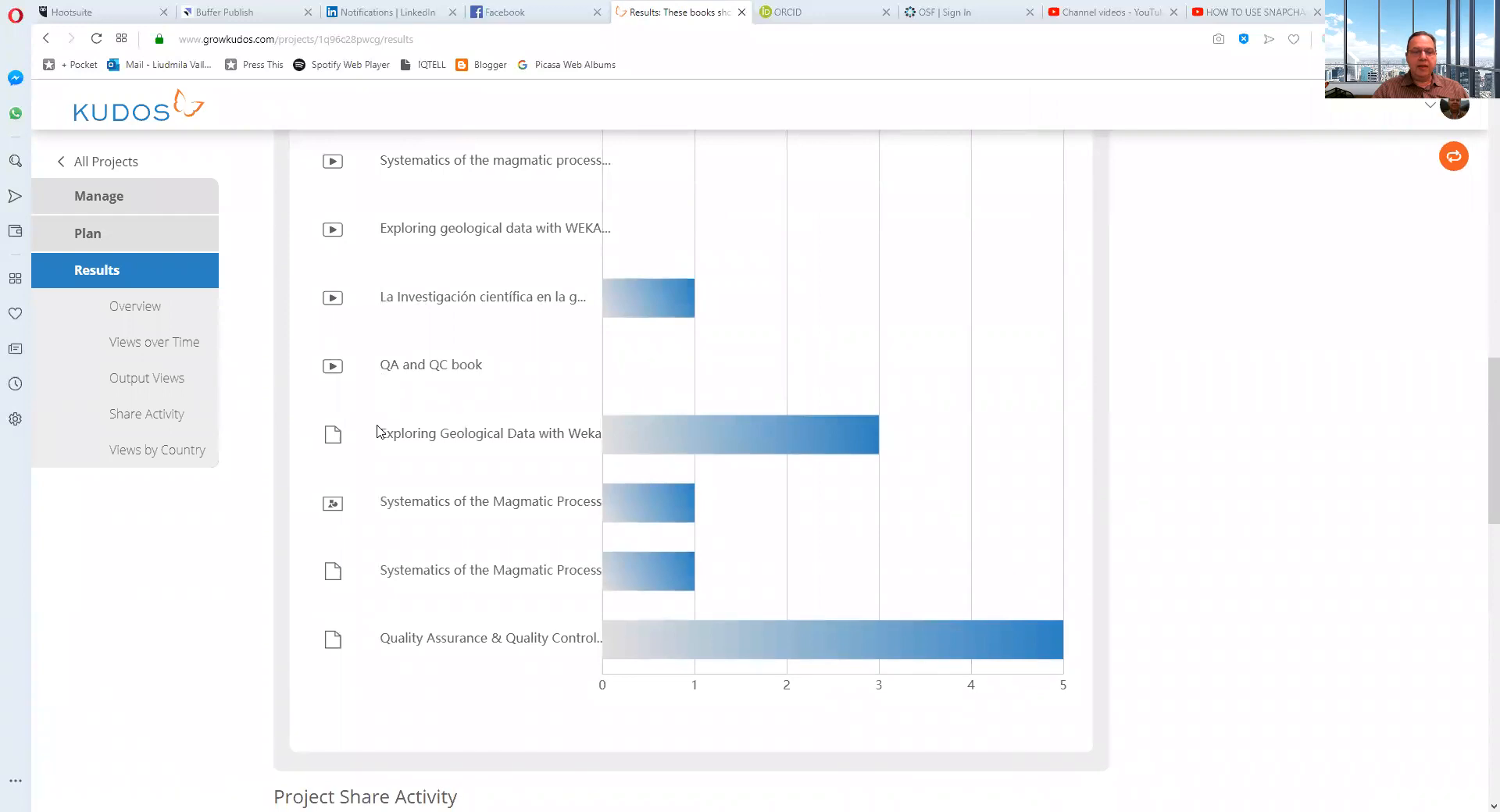
This data is invaluable for geologists who want to assess the impact of their research and outreach efforts. By analyzing this information, you can refine your strategies for future projects and maximize your influence in the field.
Step 6: Integrating ORCID with Kudos 🔗
ORCID is another essential tool for researchers. It provides a unique identifier for authors, ensuring that your work is correctly attributed to you. By linking Kudos with ORCID, you can streamline the process of adding publications to your Kudos profile.
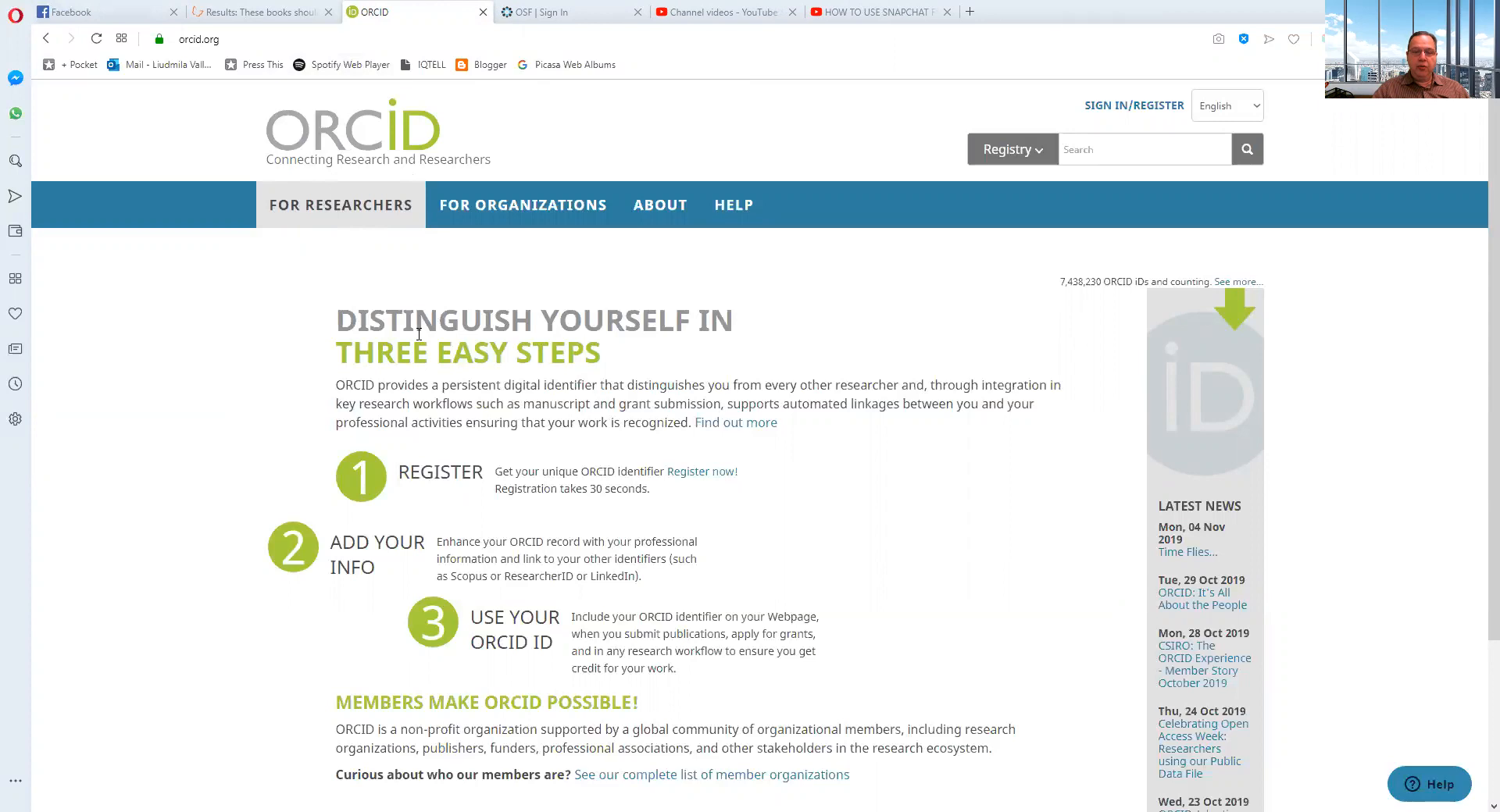
To create an ORCID iD, visit ORCID. Once registered, you can easily associate your ORCID iD with your Kudos account. This integration means that when you add a publication to ORCID, it can automatically populate your Kudos profile as well.
Step 7: Benefits of Using Kudos and ORCID Together 🎉
Using Kudos and ORCID in tandem provides several benefits:
- Streamlined publication management.
- Enhanced visibility of your work.
- Accurate tracking of citations and metrics.
- Improved project planning and execution.
- Easy collaboration with peers and students.
For geologists, these tools can significantly enhance your research's reach and impact. By effectively managing your publications and projects, you can contribute more meaningfully to your field.
Step 8: Final Thoughts on Kudos and ORCID 🏁
In conclusion, Kudos and ORCID are powerful allies for researchers and professionals in the geology field. They not only help in managing publications but also in planning and tracking projects effectively. By leveraging these tools, you can ensure that your work is recognized and that your projects have the desired impact.
Should you have any questions or need assistance with Kudos or ORCID, feel free to reach out. My email is wallsve@gmail.com. I’m here to help!
Made with VideoToBlog
No comments:
Post a Comment